Geofencing has become a standard feature in modern HR and workforce management platforms. Field service companies, construction firms, logistics operators, and home health agencies now routinely use it to manage mobile employees who never sit at a fixed desk. Yet most HR buyers evaluate geofencing features without understanding how the technology actually works, where it falls short, or what legal obligations come with it.
This guide covers all of it — from how geofence zones are built and how location is detected, to compliance requirements and GPS spoofing risks.
Key Takeaways
- Geofencing sets a virtual boundary around a work site using GPS, Wi-Fi, or cellular data, and automatically triggers a time-tracking event when an employee crosses it
- It stops off-site clock-ins, buddy punching, and manual timesheet errors
- Highest ROI for field teams, multi-site operations, logistics, construction, and home health
- Location is captured only at clock-in and clock-out — not continuously throughout the shift
- Zone accuracy varies by technology type and radius setting — getting these right is what separates reliable enforcement from false triggers
What Is Geofencing?
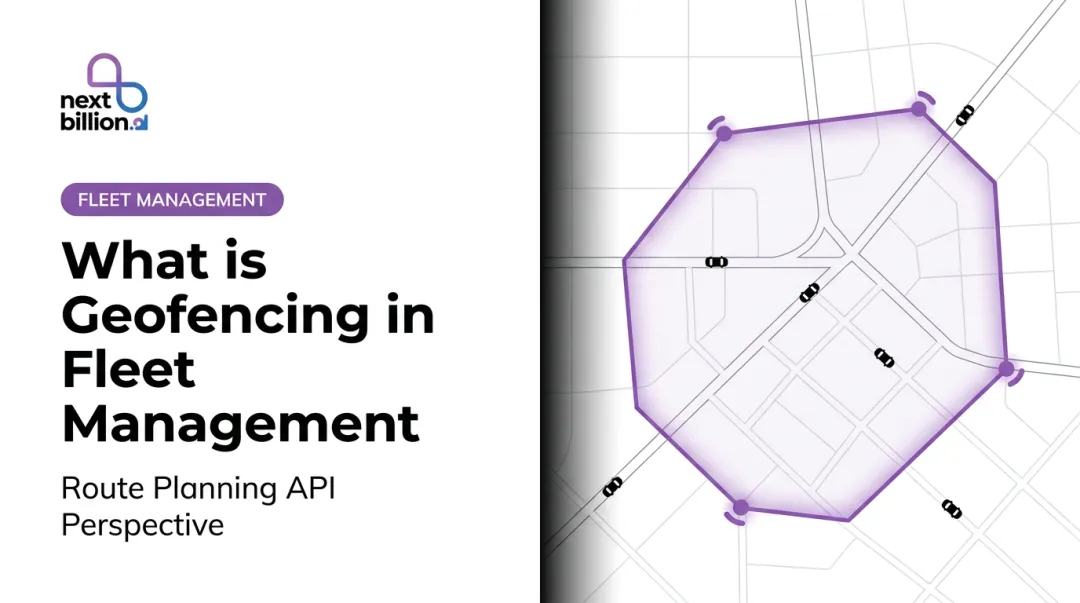
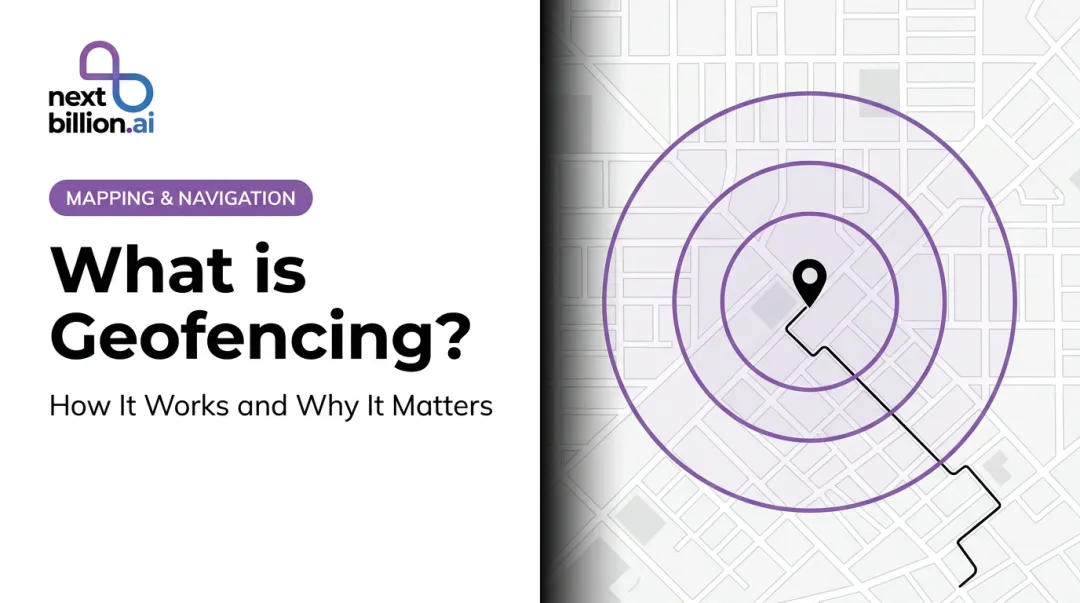
A geofence is a virtual perimeter drawn around a real-world location. Set using GPS coordinates, Wi-Fi signals, or cellular data, it works like a digital tripwire: when a device crosses the boundary, a pre-configured action is triggered — such as enabling or blocking a time clock punch. This is the core mechanism behind what most people mean when they ask what geofencing in HR is: it is a location check attached to a clock-in event, not a tracking feature that runs throughout the day.
The Problem It Solves
Traditional time clocks work fine when everyone reports to one building. They fail completely for mobile workers, multi-site teams, and field employees who move between client addresses all day. Geofencing brings location-aware accountability to those workforces without requiring physical hardware at every site.
What Geofencing Is Not
This is the most misunderstood point: geofencing in HR time tracking is not continuous surveillance. In most workforce management implementations, the system captures location only at the moment of clock-in or clock-out, not during the shift. That distinction matters for employee trust and legal compliance.
Once that's clear, the next question is practical: what kind of zone do you actually draw?
Zone Types
Two boundary formats are common in HR software:
| Zone Type | How It Works | Best For |
|---|---|---|
| Radius-based (circle) | A circle drawn around a GPS coordinate, typically 100m–1,000m | Offices, depots, single job sites |
| Polygon-based | Custom boundary following the actual shape of a property | Large job sites, irregular parcels, campuses |
Most HR platforms default to radius-based zones. QuickBooks Time sets a 100m default with a 1,000m maximum; Buddy Punch supports a range from 50m to 1,500m. Polygon zones are more precise but require more setup effort.
How Does Geofencing Work in HR Time Tracking?
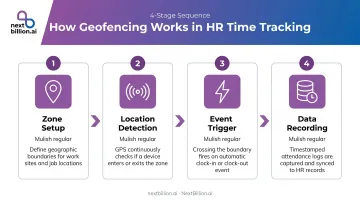
Geofencing in HR software follows a four-stage sequence: zone setup → location detection → event trigger → data recording. Each stage has variables that affect accuracy.
Zone Setup and Configuration
HR administrators define a geofence by entering a physical address or GPS coordinates into their platform. The system converts this into a virtual perimeter with an adjustable radius.
Radius sizing matters more than most admins realize:
- Too small (under 50m) → false rejections when GPS drifts slightly, blocking employees who are physically present
- Too large (over 500m for a small site) → defeats the purpose; employees can punch in from a parking lot down the street
- Android's own documentation recommends a minimum radius of 100–150 meters to account for Wi-Fi positioning accuracy
Location Detection
When an employee taps "clock in" on their mobile app, the device checks its position using a layered approach:
- GPS satellite data — most accurate outdoors, typically 4.9 meters under open sky per GPS.gov
- Wi-Fi positioning — used indoors or in dense urban areas; accuracy roughly 15–40 meters
- Cellular tower triangulation — fallback when GPS and Wi-Fi are unavailable; accuracy varies widely
This layering is what makes geofencing work indoors and in low-signal areas. Without fallback methods, indoor clock-ins would fail constantly. Once position is confirmed, the system moves from detection to action.
Event Trigger and Time Recording
Once location is verified, the system takes one of two actions:
- Inside the zone → Clock-in accepted, timestamp recorded with location metadata
- Outside the zone → Action is either flagged or blocked, depending on admin settings
HR platforms typically offer two enforcement modes:
| Mode | Behavior | When to Use |
|---|---|---|
| Alert mode | Allows the punch, flags it for manager review | Workforces with legitimate off-site tasks |
| Restrict mode | Blocks the punch until the employee is within the zone | Strict compliance environments |
Key Benefits of Geofencing for HR and Time Tracking
Eliminates Time Theft and Buddy Punching
Because clocking in requires physical presence within a defined boundary, employees cannot punch in from home before arriving, and colleagues cannot punch in on their behalf. Location-verified records remove the gray area that makes manual timesheets so easy to manipulate.
Produces Audit-Ready Payroll Records
Geofenced clock-ins generate timestamped, location-verified entries that feed directly into payroll systems. This reduces manual data entry errors and disputed hours — and it supports FLSA recordkeeping requirements, which mandate that employers retain payroll records for at least 3 years and time cards for at least 2 years under 29 CFR Part 516.
Automates Job Code and Cost Center Allocation
When a geofence is tied to a specific project code or client site, hours logged inside that zone are automatically allocated to the correct budget line. For construction firms managing a dozen active job sites, or field service companies billing clients by the hour, that means payroll and billing data are reconciled before the week even closes — no chasing timesheets, no disputed allocations.
Additional Operational Benefits
- Flags out-of-zone punches automatically, cutting manual timesheet follow-up
- Eliminates the need for physical time clocks at every client site
- Covers employees splitting shifts between office and field without extra configuration
Where Geofencing Delivers the Most Value
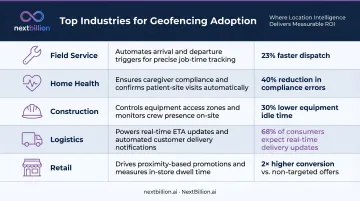
Geofencing earns its place where employee location is variable and difficult to verify through other means. For fixed-location office workers, it adds little. For distributed field teams, it's often the only reliable check-in method available. When buyers compare the best geofencing platforms or the best employee hour tracking software, the right choice usually comes down to which one fits the workforce profile below rather than which one has the most features, since a construction crew and a multi-location retail chain need different zone types and enforcement modes.
High-Value Workforce Profiles
| Industry | Why Geofencing Fits |
|---|---|
| Field service (HVAC, pest control, landscaping) | Technicians work at client addresses; no fixed clock-in point |
| Home health and personal care | Over 4.3 million aides work in clients' homes — location verification is otherwise impossible |
| Construction | Workers are spread across job sites; 54% of construction firms planned mobile time tracking in 2025 per AGC/Sage survey data |
| Last-mile delivery and logistics | Drivers check in at depots, customer sites, and distribution hubs throughout the day |
| Multi-location retail | Staff rotating between stores need site-specific time records |
Where Geofencing Is Less Effective
- Single-location office workers who already use a fixed time clock — geofencing adds no real value here
- Technicians visiting 8+ job sites daily — frequent zone transitions can become cumbersome without automated check-in/out logic built into the platform
Infrastructure Considerations at Scale
For logistics and delivery operators managing large fleets across hundreds of depots and customer sites, geofencing needs to work at the infrastructure level — not as a feature added onto an HR app. Native OS limits are a real constraint: Android supports up to 100 active geofences per app per device, and Apple's Core Location caps at 20 monitored regions.
High-volume deployments require server-side zone management to stay within those limits. NextBillion.ai's Geofencing API functions as that underlying layer, with support for polygons, circles, corridors, and custom boundary shapes. Integrations with Geotab and Samsara make it a practical fit for logistics operators managing multi-zone enforcement at a scale that consumer-grade HR app geofencing cannot match.
Privacy, Legal, and Compliance Considerations
Geofencing for employee time tracking is legal in the US. The compliance requirements, though, vary enough by state that a blanket policy won't hold up.
State-Level Requirements to Know
- California — Penal Code Section 637.7 restricts electronic tracking devices. The CCPA/CPRA treats precise geolocation as sensitive personal information, requiring data collection to be "reasonably necessary and proportionate" to the disclosed purpose. Get written consent before collecting any location data.
- Connecticut — General Statutes Section 31-48d requires prior written notice and posted notice describing electronic monitoring types before implementation.
- New York — Civil Rights Law Section 52-c requires prior written notice for certain forms of electronic monitoring.
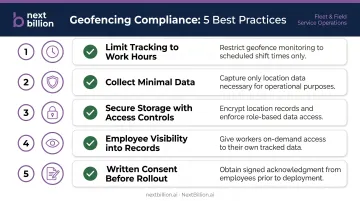
Core Compliance Best Practices
- Capture location only during scheduled work hours — never when employees are off the clock
- Collect only what's needed: latitude, longitude, and timestamp at punch events, not continuous movement history
- Store location data with role-based access controls and audit logging
- Give employees full visibility into their own time logs and location records
- Get written consent documented before rollout, particularly in California
Handling Employee Pushback
The most common resistance to geofencing rollouts is fear of 24/7 monitoring. Proactively address this before launch: communicate clearly that the system captures one location data point at clock-in and one at clock-out — nothing in between. A one-page employee FAQ distributed before go-live resolves most concerns upfront.
Conclusion
Geofencing replaces assumption-based timekeeping with location-verified, timestamped records. For businesses with mobile or distributed workforces, that shift directly improves payroll accuracy, reduces fraud, and cuts the administrative burden of managing manual timesheets across multiple sites.
The reliability of any geofencing implementation depends on two things: the quality of the underlying location technology, and how carefully the rollout is executed. Misconfigured zones or poor employee communication introduce friction that manual processes never had. Done right — with accurate zone boundaries and clear opt-in policies — the system pays for itself in reduced payroll disputes and fewer hours spent reconciling timesheets.
Frequently Asked Questions
What is geofencing in HR?
Geofencing in HR refers to virtual location boundaries that control when and where employees can clock in or out. Rather than accepting self-reported entries, the system verifies that the employee's device is physically within a defined zone before recording a timestamp — tying time records to actual job site presence.
Can my employer legally track my location?
Yes, US employers can use geofencing for timekeeping, but must comply with state-specific requirements. California, Connecticut, and New York have explicit notice or consent obligations. Regardless of state, employers should limit tracking to work hours and be transparent about exactly what data is collected. A written policy covering what is tracked, retention periods, and how employees can raise disputes helps reduce legal exposure and builds trust with a workforce being monitored for the first time.
Does geofencing track employees outside of work hours?
No — properly implemented HR geofencing captures location data only at clock-in and clock-out events during scheduled shifts. It does not monitor employee movement during off-hours, breaks, or personal time. This is a key architectural distinction from continuous GPS fleet tracking.
How accurate is geofencing time tracking?
GPS is accurate to roughly 4.9 meters in open-sky conditions, but degrades indoors and in dense urban areas. Reliable platforms layer GPS with Wi-Fi and cellular data and allow adjustable zone radius settings — typically 100–150 meters minimum — to prevent false rejections from signal drift.
What happens if an employee has no internet connection at the job site?
Geofencing time clock apps with offline support verify the employee's GPS position locally and record the clock-in event, then sync to the HR platform once connectivity is restored. This matters for job sites, warehouses, or rural service areas with poor cellular coverage. The underlying geofence boundary logic and location check run on-device, so field crews are not blocked from clocking in simply because a signal drops.
Can employees spoof or fake their geofence location?
Some apps can be circumvented using GPS spoofing tools. Enterprise platforms counter this by detecting mock location flags, cross-referencing GPS with Wi-Fi network data, requiring device authentication, and flagging anomalies for audit review.
What is the best employee hour tracking software?
There is no single best platform for every business; the right fit depends on workforce type, job site count, and existing HR stack. Field-service and construction teams generally need geofencing-based time tracking with offline support and mobile clock-in, while office-based teams may only need basic scheduling and timesheets. Look for accurate location verification, audit trails, and integration with payroll before comparing vendors on price or feature depth.
Is there a free app for geofencing?
Some geofencing time-tracking apps offer free tiers or trials aimed at very small teams, typically capping the number of users, job sites, or geofence zones. Free versions usually lack offline sync, GPS spoofing detection, or payroll integrations found in paid plans. For businesses with compliance obligations around timekeeping, it is worth confirming that even a free tool supports accurate audit logs before relying on it.