The problem is that most operators treat geofencing as a black box. They drop a circle on a map, set it to "notify on entry," and wonder why alerts fire at the wrong time, miss events entirely, or flood dispatchers with noise. The root cause is almost always misconfigured boundaries, wrong trigger types, or a mismatch between radius size and real-world signal accuracy.
This guide explains how geofencing actually works — the underlying mechanics, trigger logic, shape types, and where it creates operational value when configured correctly.
Key Takeaways
- Geofencing creates a virtual boundary around a real-world location and fires automated actions when a device enters, exits, or dwells within it.
- Location is determined through GPS, Wi-Fi positioning, and cellular triangulation.
- Three trigger types — entry, exit, and dwell — serve different operational purposes, with dwell triggers cutting false alert volume.
- Primary use cases: logistics, fleet management, field service, and retail/on-demand.
- 100–150 meters is the minimum recommended radius for reliable alerts, per Android Developers documentation.
What Is Geofencing?
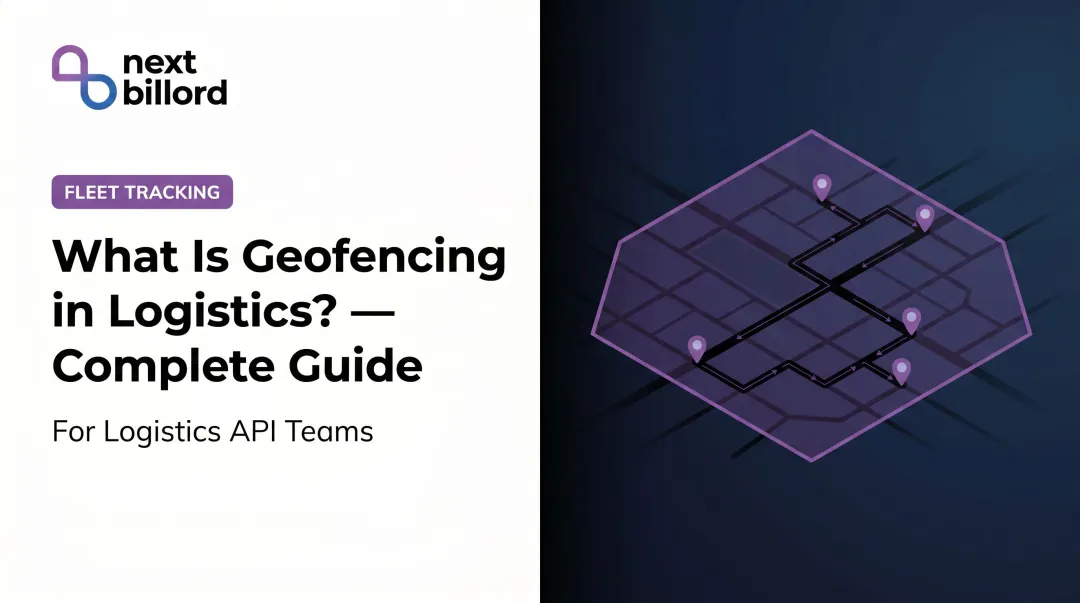
A geofence data model typically stores a center point (latitude/longitude), a radius or polygon perimeter, and a trigger type — entry, exit, or dwell — that determines when an alert fires. Geofencing is a virtual geographic boundary defined by coordinates — either a center point with a radius, or a custom polygon perimeter — that interacts with location-aware devices to detect presence and trigger automated responses. Location itself is derived from GPS, Wi-Fi, or cellular triangulation, and the platform evaluates a device's reported coordinates against these stored boundary fields to detect crossings.
Unlike GPS tracking, which logs position continuously, geofencing only fires when a device crosses a meaningful threshold — a warehouse gate, a customer address, a restricted zone. That event-driven model is what makes automated decisions possible without constant manual monitoring.
The Three Trigger Types
How a geofence fires matters as much as where it's placed. The three core trigger types each serve a distinct purpose:
| Trigger | When It Fires | Best For |
|---|---|---|
| Entry | Device crosses into the boundary | Arrival notifications, job start logging |
| Exit | Device crosses out of the boundary | Departure timestamps, proof-of-delivery |
| Dwell | Device stays inside for a configured duration | Reducing false alerts, confirming actual stops |
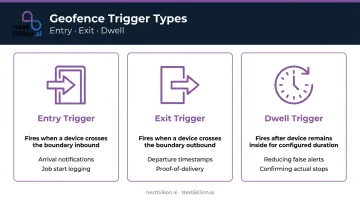
Dwell is the trigger most teams underestimate. A delivery vehicle driving past a customer's address will momentarily appear inside a tight geofence before moving on — an entry trigger fires, a dwell trigger configured to wait 5 minutes does not. That single configuration difference eliminates a significant source of alert fatigue.
Geofence Shapes
- Circular geofences — defined by a center point and radius. Easy to configure, widely supported, and appropriate for most depot, delivery, and job site boundaries.
- Polygon geofences — custom-drawn boundaries that trace irregular real-world areas like building perimeters, port zones, or irregular service territories. More precise, but require more setup effort.
Platforms like NextBillion.ai also support corridors and GeoJSON-imported custom shapes, which gives operators the flexibility to match boundaries to actual operational geography rather than approximating with circles.
How Does Geofencing Work?
Understanding how geofencing works means tracing what happens between the moment a boundary is drawn and the moment an action fires. Each stage introduces variables that determine whether the system is reliable or frustrating in practice.
Boundary Definition
A geofence boundary is created by specifying a geographic location — by address, coordinates, or map selection — drawing a perimeter, and assigning trigger conditions. All of this is stored as coordinate data in the platform.
The radius choice here is critical. Android Developers recommends a minimum radius of 100–150 meters to account for GPS and Wi-Fi positioning variance. Smaller geofences in areas with inconsistent signal often produce missed transitions or false negatives — the device crosses the boundary but the platform never logs it.
Signal Detection and Location Tracking
A device's position is determined through a hierarchy of signals:
- GPS — most accurate outdoors, typically within 4.9 meters under open sky according to GPS.gov
- Wi-Fi positioning — improves accuracy in dense urban or indoor environments, typically 20–50 meters
- Cellular triangulation — serves as fallback when GPS and Wi-Fi signals are unavailable; coarser accuracy
The geofencing system doesn't need continuous GPS lock. The device periodically reports its position to the platform, which evaluates those coordinates against all active boundaries.
How frequently that evaluation happens directly affects alert latency. Android's geofencing implementation, for example, intentionally stretched responsiveness from seconds to roughly 2 minutes to preserve battery life — a deliberate tradeoff, not a defect.
Trigger and Event Processing
When the platform's location evaluation registers a device coordinate crossing from outside to inside (or inside to outside) a defined boundary, it logs a transition event and classifies it as entry, exit, or dwell.
The dwell trigger adds a waiting period — Google's platform, for example, uses a configurable setLoiteringDelay with a 5-minute (300,000 ms) example — before the event fires. This separates genuine stops from drive-bys in dense urban delivery environments, and it's that classification precision that makes the downstream actions meaningful.
Automated Actions and Outputs
Once a transition event is confirmed, the platform can:
- Push notifications to drivers or dispatchers
- Fire webhook calls to downstream systems (TMS, CRM, ERP)
- Update job status in field service software
- Log timestamped events for compliance reporting
- Trigger route updates or recalculations
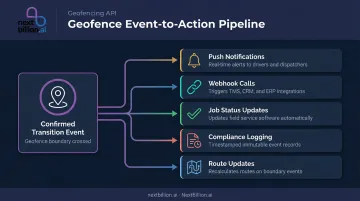
An entry trigger at a customer site, for instance, can automatically notify the customer of arrival, timestamp the job start, and update the dispatcher — all without a manual check-in call. NextBillion.ai's Geofencing API is built around this workflow — firing real-time triggers on entry, exit, or dwell and passing events directly into TMS, CRM, and fleet platforms like Samsara, Geotab, and Motive.
Where Geofencing Is Used
Logistics and Last-Mile Delivery
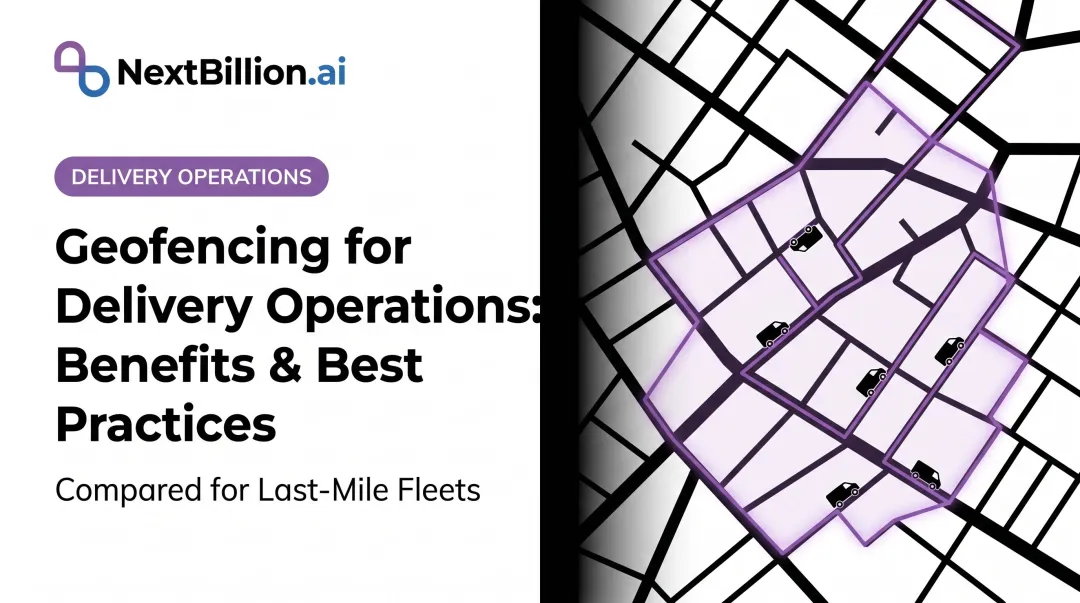
Geofences placed at customer addresses, distribution hubs, and depot locations enable:
- Automatic arrival and departure logging
- Proof-of-delivery timestamping without driver action
- Customer ETA notifications as vehicles approach
- Warehouse check-in logging at depot crossings
NextBillion.ai integrates geofencing with route optimization and live tracking, giving logistics operators end-to-end visibility from dispatch through delivery. One documented deployment — with CriticaLog, a premium logistics provider — used a 2-kilometer radius around hubs and up to 5 kilometers around customer premises for geofence-based automated dispatching and task assignment.
Fleet and Vehicle Management
Geofences around restricted zones, service areas, and overnight parking locations support:
- Unauthorized movement alerts outside scheduled hours
- After-hours vehicle use detection
- Automated curfew enforcement
- Asset security monitoring for high-value cargo
NextBillion.ai's platform also passes restricted zone geofences directly into its routing engine, so routes are calculated to avoid those boundaries from the start — not just alert when they're crossed.
Field Service Operations
Geofences at job sites replace paper-based time tracking with automated logging:
- Job start triggered on arrival
- Job completion triggered on departure
- Accurate time-on-site records for billing and payroll
- Workforce management system feeds without manual entry
This pattern extends well beyond any single platform. Salesforce Field Service, for instance, uses the same approach — automating workflow steps when mobile workers enter or exit defined boundaries.
Retail and On-Demand Services
McDonald's uses geofencing in its mobile ordering workflow so crew can begin assembling orders before a customer reaches the door or drive-thru. Wait times drop without the customer doing anything beyond showing up. Curbside pickup, food delivery, and ride-hailing handoffs run on the same trigger.
Key Benefits and Operational Considerations
Core Operational Benefits
- Automated event logging — timestamped entry and exit records replace manual check-ins and create an auditable trail for compliance, billing, and performance review
- Real-time boundary alerts — dispatchers and operations teams see exceptions as they happen rather than discovering them post-trip
- Reduced administrative overhead — automated workflows handle proof-of-delivery, job start/completion, and ETA notifications without human coordination
Configuration Considerations
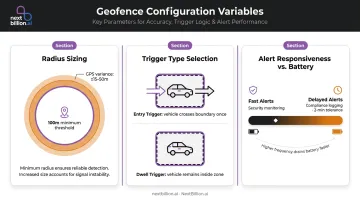
Most geofencing failures trace back to misconfigured parameters. Three variables account for the majority of issues:
- Radius sizing — stay above 100 meters to avoid missed transitions from signal variance; in tunnels, urban canyons, or underground facilities, GPS degrades enough that larger radii are necessary
- Trigger type selection — entry triggers work for arrival notifications; dwell triggers are necessary anywhere vehicles pass through an area without stopping
- Alert responsiveness vs. battery — faster alerts cost more power; match responsiveness to the operational need (security alerts need speed; compliance logging can tolerate a 2-minute delay)
Privacy and Compliance
Getting the configuration right is only part of the equation. Once geofencing is operational, location tracking creates legal obligations that vary by jurisdiction but share common requirements.
Ireland's Data Protection Commission classifies vehicle location data as personal data when it relates to an identifiable individual. The EDPB has also determined that continuous GPS tracking can be disproportionate where less intrusive alternatives exist.
Practically, this means:
- Limit geofence monitoring to working hours (NextBillion.ai supports time-of-day and day-of-week schedule restrictions natively)
- Communicate clearly to drivers and field workers what is tracked, why, and how long it's retained
- Conduct a Data Protection Impact Assessment if operating under GDPR
- Configure off-duty controls for mixed-use vehicles
Frequently Asked Questions
What is a geofence notification?
A geofence notification is an automated alert sent to a driver, dispatcher, or downstream system when a tracked device crosses a defined geographic boundary. Formats include push alerts, SMS, email, or webhook calls to platforms like TMS, CRM, or ERP systems — the exact form depends on how the workflow is configured. The alert typically carries a device ID, boundary name, direction (entry or exit), and timestamp, which downstream systems use to trigger billing events, arrival confirmations, or compliance logging.
What is a geofence entry alert?
A geofence entry alert fires the moment a tracked device crosses a defined boundary inbound. Common uses include notifying a dispatcher that a driver has arrived at a job site, triggering a customer arrival notification, or logging an automated job start timestamp.
What is a geofence alert in a car?
In fleet tracking, a geofence alert fires when a vehicle crosses a defined virtual boundary — such as leaving an approved service area, entering a restricted zone, or arriving at a depot. This enables automated fleet monitoring without requiring manual check-ins or dispatcher calls. Dispatchers commonly pair these alerts with route and ETA data so exceptions like route deviation or unauthorized stops surface automatically, instead of relying on drivers to report status changes over radio or phone.
Can you turn off geofencing?
Yes. In fleet and field service platforms, operators can deactivate specific geofence zones, remove devices from monitoring, or pause alerts entirely. On mobile devices, revoking background location permissions prevents geofence triggers at the OS level. For US fleets, disabling tracking on vehicles used for FMCSA hours-of-service or IFTA reporting can remove supporting location records, so confirm what compliance data a geofence feeds before turning it off.
What is the minimum geofence radius for reliable alerts?
Android Developers recommends a minimum of 100–150 meters to account for GPS and Wi-Fi positioning variance. Smaller radii in weak-signal areas frequently produce missed or delayed alerts — in dense urban or indoor environments, erring larger is the safer choice.
What do geofence push notifications look like?
Geofence push notifications appear as standard mobile or system alerts — typically showing the trigger event (for example, "Driver arrived at Site A"), a timestamp, and optionally a link to the relevant job or map view. The exact layout depends on your platform's configuration.
Does geofencing track your location?
Geofencing itself does not continuously track location; it monitors a device's position against a defined boundary and only fires when a crossing event occurs. The underlying app or platform may still collect ongoing GPS data depending on its settings. On mobile devices, this requires location permissions, and under app store and privacy rules users must be informed about what data is collected and why.
How do I activate geofencing?
Activating geofencing typically involves defining a boundary on a map (a radius or polygon), assigning it to specific vehicles or devices, and setting the trigger conditions such as entry, exit, or dwell time. Most fleet and mapping platforms provide this through a dashboard or API. Once configured, the system monitors device location in the background and fires notifications automatically when a crossing event matches the rule.