How does GPS-enabled time tracking work for field service technicians?
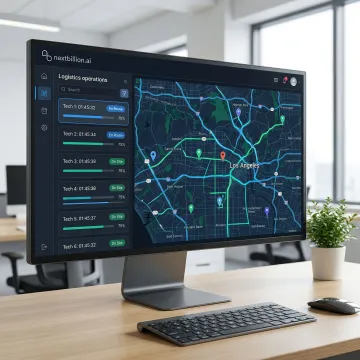
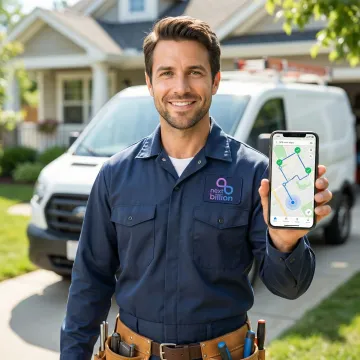
GPS-enabled time tracking uses the technician's mobile device or vehicle telematics hardware to continuously capture location data throughout the shift. Geofences placed around each job site automatically trigger clock-in and clock-out events when the technician arrives and departs — recording verified job start times, on-site durations, travel time between stops, and total shift hours without any manual input. This removes reliance on self-reported hours, gives payroll a defensible record for every shift, and lets dispatchers see in real time which jobs are active, completed, or running long.
How accurate is the GPS time tracking data for payroll and billing purposes?
NextBillion.ai's Live Tracking API delivers up to 1-meter location accuracy in real time. Combined with road-snapped GPS data from the Snap-to-Road API, all mileage and location records are cleaned of GPS drift artifacts and aligned to the actual road network — producing billing and payroll records that are accurate enough to satisfy finance audits, customer SLA verification, and regulatory compliance documentation.
Can the system track technicians in areas with poor mobile connectivity?
Yes. The platform includes offline tracking mode that buffers location data locally on the device when mobile connectivity is unavailable — common in industrial facilities, rural service areas, underground locations, and large commercial buildings. Location and time data syncs automatically and completely when connectivity is restored, so the shift record has no gaps. This matters for payroll accuracy: a missed sync would otherwise show up as unaccounted time, forcing managers to manually reconstruct hours or take a technician's word for it.
How does geofencing automate time logging at job sites?
A virtual boundary — a geofence — is drawn around each customer's premises or job site address. When a technician's device crosses that boundary, the platform automatically records a timestamped arrival event. When they leave, a departure event is logged. These events feed directly into the time tracking record, creating a verified job duration without requiring the technician to manually start or stop a timer.
Does the platform integrate with existing field service management and payroll systems?
NextBillion.ai integrates natively with major fleet and telematics platforms including Samsara and Geotab, and supports CRM and ERP integration with Salesforce, SAP, and Microsoft Dynamics 365 via REST API. This enables tracked time, mileage, and job completion data to flow directly into your existing payroll, invoicing, and field service management workflows without manual re-entry or data exports.
How does the system handle mileage reimbursement for field technicians?
The Snap-to-Road API processes each technician's raw GPS trace and aligns it to the actual roads driven, eliminating distance errors caused by GPS signal drift common in raw device GPS. The result is a precise, road-accurate mileage log for every trip — segmented by technician, date, and job stop. This data produces audit-ready reimbursement reports that eliminate disputes over reported versus actual distance and comply with IRS mileage documentation requirements, so finance teams can approve reimbursements without cross-checking odometer readings or manual mileage logs.
Can managers see when technicians deviate from their assigned routes?
Yes. Route adherence monitoring compares each technician's actual GPS path against the optimized route dispatched at the start of the shift. Deviations are flagged automatically, with the additional distance and time cost of each deviation quantified. Operations managers receive configurable alerts for significant route departures, enabling proactive communication without requiring constant manual map monitoring.
What happens when a job runs over schedule or a technician needs to be reassigned mid-shift?
The Route Dispatch API supports real-time dynamic reassignment — when a job overruns, is cancelled, or a technician becomes unavailable, revised route instructions are pushed instantly to affected technicians' apps. The system re-optimizes the remaining job queue automatically, ensuring downstream appointments are rescheduled with updated ETAs and no manual dispatcher intervention is required for routine schedule disruptions.
What should field service companies look for in time tracking software?
Look for location verification that does not rely on technician self-reporting, such as geofence-triggered clock-in and clock-out and road-matched mileage rather than straight-line estimates. Offline support matters for technicians working in buildings or areas with poor signal. Integration with your existing dispatch, scheduling, and payroll systems is also critical, since standalone tracking data that requires manual export creates the same reconciliation burden it is meant to eliminate.
How is field service time tracking different from general employee time tracking software?
General time tracking software, including free tools built for office or remote work, typically logs hours based on manual check-in or app activity and has no way to verify a technician's physical location at a job site. Field service time tracking adds geofencing, road-snapped mileage, and offline GPS capture so that time and distance records are tied to verified location events rather than self-reported entries, which matters for payroll disputes, customer billing, and mileage reimbursement.