Introduction
AI adoption is accelerating fast. According to McKinsey's 2024 State of AI report, 65% of organizations now regularly use generative AI in at least one business function. Yet alongside that growth, a parallel concern is hardening: where that AI runs matters as much as what it does.
IBM found that 57% of organizations not yet implementing generative AI cited data privacy as their primary reason for holding back. Meanwhile, Cisco's 2024 Data Privacy Benchmark reported that 27% of organizations had banned generative AI at least temporarily over privacy and security concerns.
On-premises AI deployment delivers security benefits that cloud AI cannot match: full data sovereignty, simplified regulatory compliance, granular access control, and protection of proprietary models, all because workloads run entirely inside infrastructure your organization controls. For enterprise decision-makers in regulated industries, that trade-off is concrete: deploying AI on a third-party cloud means surrendering control for convenience — and in healthcare, logistics, financial services, and government, that exchange can create compliance exposure or competitive risk.
This article breaks down the security benefits and operational challenges of on-premise AI deployment, with enough specificity to help you decide whether it fits your organization's requirements.
Key Takeaways
- On-premise AI runs entirely within your own infrastructure — no data leaves your environment
- The core security advantage is full data sovereignty, eliminating third-party cloud exposure
- Key challenges include significant upfront capital costs, specialized talent requirements, and internal maintenance burdens
- Strongest fit for regulated industries: healthcare, finance, government, and logistics
- Hybrid deployment — splitting sensitive workloads on-premise from general cloud tasks — is the most practical middle ground for large enterprises
What Is On-Premise AI Deployment?
On-premise AI means running AI applications, models, and data processing inside your organization's own infrastructure — behind your firewall, with no dependency on external cloud providers. This is the direct answer to "what is an on-premise AI platform": a self-contained deployment where compute, storage, and model logic all reside on infrastructure the organization owns or directly controls, rather than on a third-party cloud provider's servers.
Cloud AI, by contrast, uses compute and storage managed by providers like AWS or Azure. Your data leaves your environment with every inference call.
What's Inside an On-Premise AI Stack
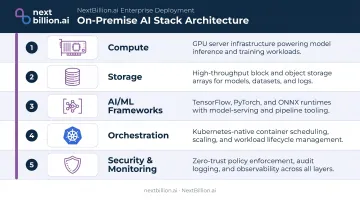
A production-ready on-premise AI environment typically includes:
- Compute: GPU-accelerated servers for model training and inference
- Storage: On-site or private storage arrays for datasets and model weights
- AI/ML frameworks: Tools like PyTorch, TensorFlow, or vendor-specific model runtimes
- Orchestration: Kubernetes for container management, scaling, and deployment automation
- Security and monitoring: Internal SIEM, access control systems, and audit logging
One common misconception: on-premise doesn't mean outdated. Modern on-premise deployments use containerized architectures, often Kubernetes-based, that deliver the same flexibility enterprises expect from the cloud.
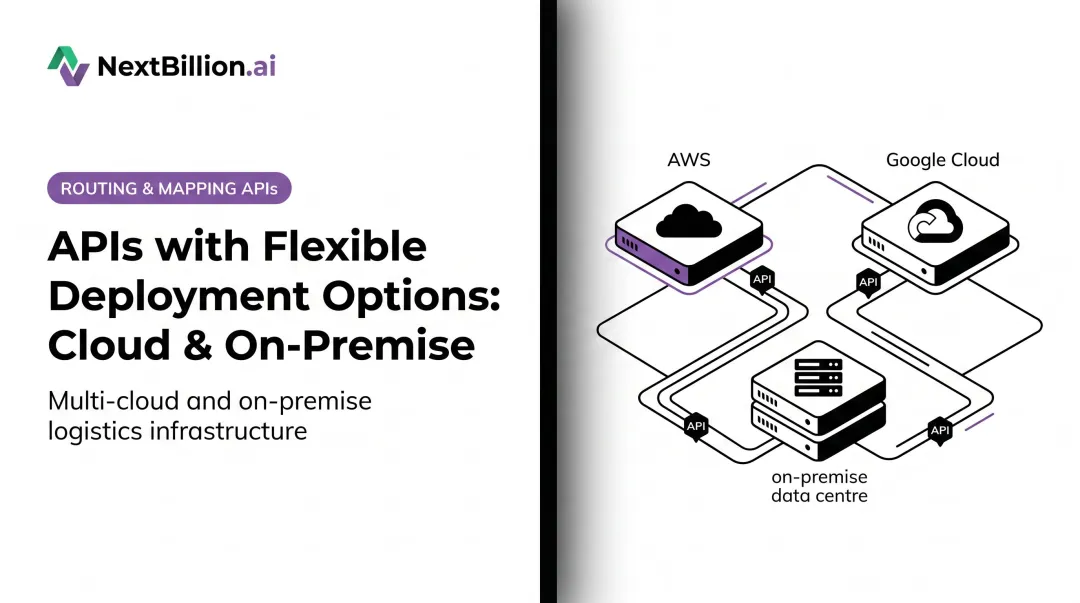
NextBillion.ai's on-premise routing and AI optimization platform illustrates this well. It deploys on any Kubernetes cluster, including AWS EKS, GCP GKE, Azure AKS, or bare-metal, using the open-source utility k10s with Helm chart templates. Organizations install only the components they need, nothing more.
The Security Benefits of Deploying AI On-Premise
Data Sovereignty and Reduced Breach Surface
The most direct security benefit: sensitive data never leaves your environment. When AI inference, training, and storage all occur behind your firewall, there are no third-party API endpoints, no shared multi-tenant infrastructure, and no cloud provider logs containing your operational data.
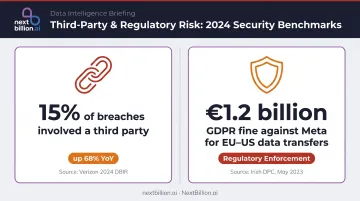
This matters practically. Verizon's 2024 Data Breach Investigations Report found that 15% of breaches involved a third party — including partner infrastructure and software supply chains — a 68% increase from the prior year. Every external AI API your systems call is a potential link in that supply chain. This is one of the direct benefits of using AI in cybersecurity on-premise: internal detection models can be trained and run against your own traffic and logs without ever exposing that data to an external inference endpoint, reducing the number of parties that must be trusted with sensitive telemetry.
Regulatory Compliance and Audit Control
On-premise deployment simplifies compliance with HIPAA, GDPR, PCI-DSS, and ISO/IEC 27001 because you control every layer. Organizations can:
- Configure systems to exact compliance specifications from day one
- Maintain detailed internal audit logs without depending on a vendor's retention policies
- Demonstrate data residency to regulators without relying on a provider's compliance SLA
- Avoid the transfer-condition complexity that GDPR imposes on personal data sent to third-country infrastructure
The GDPR enforcement risk is real. In 2023, the EDPB issued a €1.2 billion fine against Meta for EU-US personal data transfers — a direct consequence of routing user data through external infrastructure under inadequate transfer mechanisms.
Full Visibility and Access Governance
On-premise security teams get granular control that cloud environments can't always match:
- Define exactly who can access AI infrastructure and under what conditions
- Log all access events internally without provider-imposed telemetry limits
- Conduct post-incident forensic investigations without requesting data from a cloud vendor
- Detect insider threats through internally-managed behavioral monitoring
This level of control matters most when the AI system itself handles sensitive operational data — routing histories, patient transport records, or financial transaction logs — where any visibility gap creates audit exposure.
Protection of Proprietary AI Models and IP
Organizations with custom-trained models have a distinct reason to keep deployments on-premise: the models themselves are proprietary assets. A fraud detection engine trained on years of internal transaction data, or a route optimization model built on operational fleet history, represents significant competitive value.
Cloud-hosted models face exposure risks that on-premise deployments eliminate:
- Unauthorized API probing — attackers can extract model behavior through repeated queries
- Provider-side incidents — vendor breaches or misconfigurations that fall outside your control
- Policy changes — shifts in vendor data handling terms that affect your model's confidentiality
Keeping the model behind your own infrastructure removes all three attack surfaces from the equation.
The Real Challenges of On-Premise AI Deployment
High Upfront Capital Expenditure
Cloud AI runs on a pay-as-you-go model, while on-premise requires capital commitment before any value is realized. That means GPU servers, storage arrays, networking hardware, and potentially data center facilities — all purchased upfront.
Gartner estimates that generative AI deployment costs typically range from $5M to $20M. Vendor-commissioned analyses (Dell, HPE) suggest on-premise can reduce 4-year total costs by 40–63% compared to cloud for mature, high-volume workloads — but that math only holds when utilization is high and sustained.
For mid-sized enterprises still exploring AI use cases, the capital barrier is often the primary obstacle.
Talent Scarcity and Operational Complexity
On-premise AI requires multi-disciplinary in-house expertise:
- Infrastructure engineers to manage servers and networking
- MLOps specialists for model deployment, versioning, and monitoring
- Cybersecurity professionals for hardening, patching, and incident response
- Compliance officers who understand the regulatory requirements in detail
IBM's 2024 Global AI Adoption Index found that 33% of organizations cited limited AI skills and expertise as a top adoption barrier, with one in five reporting they simply lacked employees with the necessary skills.
The hiring picture makes this harder to solve. The U.S. Bureau of Labor Statistics projects 34% employment growth for data scientists from 2024 to 2034, in a field where the median annual wage already sits at $112,590 as of May 2024.
Scalability Constraints
Cloud compute scales in minutes. On-premise scaling requires physical procurement, installation, and configuration — often taking weeks. This creates two failure modes:
- Under-provisioning: AI workloads hit capacity limits, creating performance bottlenecks at exactly the moments demand spikes
- Over-provisioning: Capital sits idle on hardware that only gets used during peak periods
Getting this balance right requires workload forecasting most teams haven't had to do before — and the cost of miscalculating runs in both directions.
Maintenance Burden and Keeping Pace With AI
Scaling constraints are only part of the ownership burden. On-premise teams are also responsible for everything else: hardware maintenance, software updates, security patching, and framework upgrades.
In a field where AI models and infrastructure evolve at the pace they do today, that backlog accumulates fast. Cloud providers push infrastructure and model updates automatically. On-premise teams must track, test, and deploy those same updates themselves — without taking production systems offline.
Disaster Recovery Planning
Cloud providers bundle redundancy, geographic failover, and backup services by default. On-premise deployments require organizations to architect and fund their own disaster recovery — redundant compute nodes, offsite backups, tested failover procedures, and regular recovery drills.
The cost of getting this wrong is significant: Uptime Institute's 2024 Global Data Center Survey found that 54% of respondents said their most recent significant outage cost more than $100,000, with roughly one in five outages reaching $1 million or more. Inadequate DR planning is one of the most common oversights in first-time on-premise deployments.
On-Premise vs. Cloud AI: Choosing the Right Fit
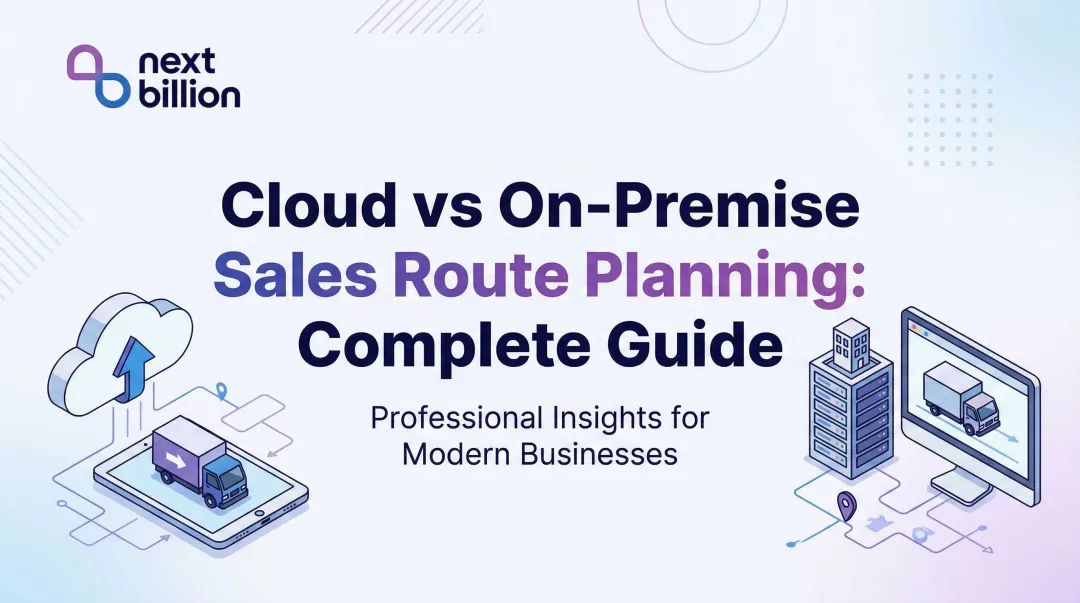
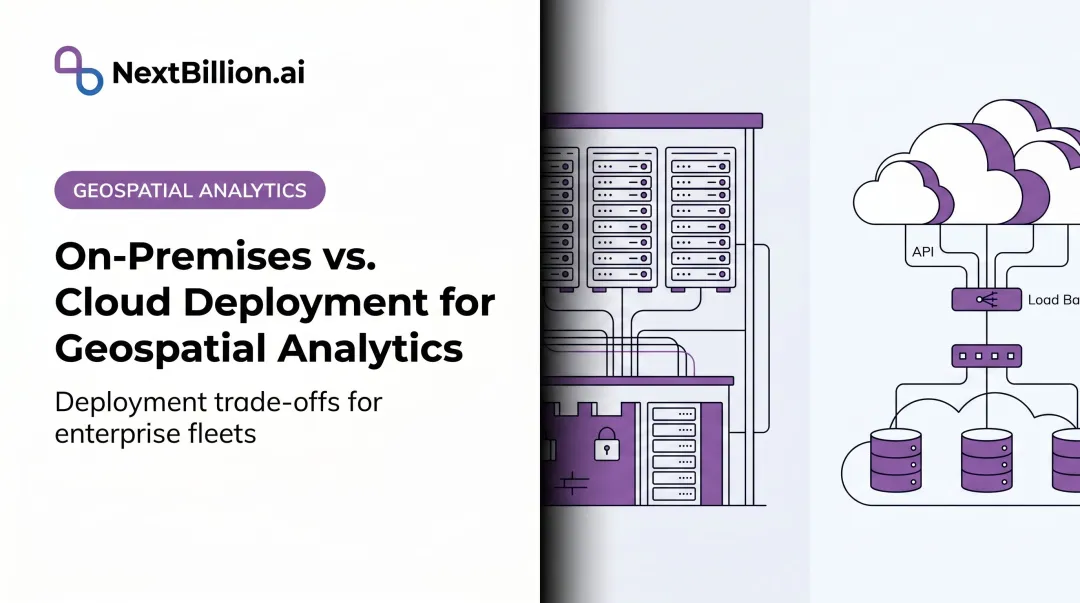
Neither model is universally superior. The right choice depends on your regulatory obligations, data sensitivity, internal capabilities, and growth trajectory.
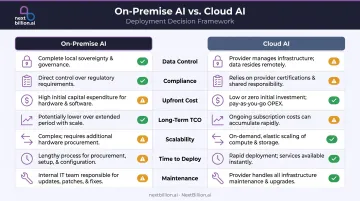
| Dimension | On-Premise | Cloud AI |
|---|---|---|
| Data Control | Full — no data leaves your environment | Shared infrastructure; data processed by provider |
| Compliance | You configure and audit directly | Dependent on provider's compliance posture and SLAs |
| Upfront Cost | High CapEx before value is realized | Low — pay-as-you-go |
| Long-Term TCO | Lower at high utilization (vendor claims: 40–63% savings) | Higher at scale; cost rises with volume |
| Scalability | Weeks to provision new capacity | Minutes to provision new capacity |
| Time to Deploy | Weeks to months (HPE estimates 12+ months for DIY builds) | Days to weeks |
| Maintenance | Full internal responsibility | Provider-managed |
The Hybrid Middle Ground
Large enterprises increasingly split the difference: sensitive or regulated AI workloads run on-premise, while less sensitive tasks or experimental use cases run in the cloud. IDC predicts that by 2028, 75% of enterprise AI workloads will run on hybrid infrastructure to balance performance, cost, and compliance requirements.
When On-Premise Makes Sense
Ask yourself these questions:
- Does your industry mandate documented data residency?
- Do you process large volumes of PII, PHI, or proprietary operational data?
- Is your AI model itself a competitive differentiator or proprietary asset?
- Do latency requirements rule out cloud round-trips?
If most answers are yes, on-premise is the right call — and the upfront investment pays for itself in avoided compliance exposure and vendor dependency. Some platforms, including NextBillion.ai, support both deployment paths (cloud and on-premise via Kubernetes), so teams can start in the cloud and migrate as data governance requirements evolve.
Industries That Benefit Most from On-Premise AI
Healthcare, Financial Services, and Government
These sectors face the strictest data sovereignty requirements and process the most sensitive data. On-premise AI is often a compliance-driven necessity:
- Healthcare: Hospital AI diagnostics must not expose protected health information (PHI) — HIPAA requires documented control over every environment where PHI is processed
- Financial services: Fraud detection and risk modeling systems must operate within PCI-DSS cardholder data environments, with full audit trails
- Government: Federal AI systems often operate in air-gapped environments where FedRAMP scoping rules require authorization for any cloud service handling non-public information
Logistics, Fleet Management, and NEMT
Logistics and field operations generate some of the most sensitive operational data outside regulated industries: driver location histories, customer delivery addresses, route patterns, vehicle telemetry, and, for NEMT operators, patient pickup and dropoff information that borders on HIPAA-regulated data.
Regulators are paying attention. In December 2024, the FTC took action against Gravy Analytics and Venntel for allegedly selling sensitive consumer location data — a signal that precise geolocation data is under increasing regulatory scrutiny.
For logistics operators, last-mile delivery companies, and NEMT providers, on-premise deployment keeps all of that intelligence internal — no routing data, location history, or patient trip records leave the organization's own infrastructure.
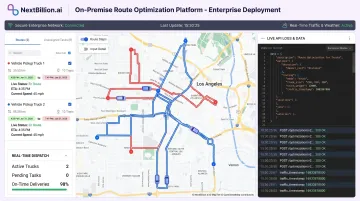
NextBillion.ai's route optimization platform supports on-premise deployment via Kubernetes-based infrastructure, with SOC 2 Type II and ISO/IEC 27001:2013 certifications. All routing calculations and location data are processed entirely behind the customer's firewall. The platform also delivers up to 3x lower latency and 20x higher throughput compared to cloud deployments, which directly addresses the real-time performance demands of dispatch-intensive operations.
Manufacturing, Defense, and Energy
AI integrated into operational technology (OT) environments — factory floors, defense installations, energy grid management — typically cannot route process data through external systems. Both security and latency requirements rule it out. On-premise AI in these sectors is rarely optional.
How to Assess If Your Organization Is Ready for On-Premise AI
Map Your Regulatory and Data Sensitivity Baseline
Start by auditing what data your AI systems will process. If that data includes PII, PHI, financial records, or proprietary operational data — and if regulations require documented control over where it's stored and processed — on-premise shifts from a strategic option to a compliance requirement.
Evaluate Internal Capability Gaps Honestly
Gartner predicted that at least 30% of generative AI projects would be abandoned after proof of concept by the end of 2025, citing escalating costs and inadequate risk controls as the leading causes. Four readiness dimensions determine whether on-premise is viable for your organization:
- Do you have — or can you hire — the infrastructure and MLOps expertise to run it?
- Can you fund the upfront CapEx alongside ongoing operational costs?
- Does your data center have sufficient power, cooling, and rack space?
- Do you have a documented DR plan and a functioning security operations capability?
Consider a Phased or Hybrid Start
Organizations new to on-premise AI should start with a pilot — deploy one or two workloads with the highest data sensitivity on-premise while keeping cloud deployments for others. A controlled pilot lets you:
- Identify infrastructure gaps before they become production problems
- Validate your compliance posture against real regulatory requirements
- Build team confidence and operational procedures at lower risk
Committing to a full migration before this groundwork is done is where most on-premise projects run into trouble.
Frequently Asked Questions
Can AI be deployed on-premise?
Yes. AI can be fully deployed on-premise using an organization's own servers, GPUs, and orchestration tools such as Kubernetes. Modern on-premise AI platforms support the full model lifecycle — training, inference, monitoring — with no dependency on external cloud providers.
What are the security benefits of on-premise AI deployment?
On-premise AI keeps all data processing internal, eliminating third-party vendor risk. It enables granular access control, full audit logging, and compliance with data residency regulations — while giving security teams complete visibility into AI system behavior without external dependencies.
What is a key benefit of cloud AI deployment?
The primary advantage is speed and scalability. Organizations access powerful compute, pre-built models, and managed infrastructure with no upfront capital investment, automatic updates, and elastic capacity — making it well-suited for organizations starting out or running non-sensitive workloads. For fleet and logistics teams evaluating routing or mapping APIs, cloud deployment shortens time to pilot, though data residency and compliance needs should be assessed before committing sensitive operational data to a third-party environment.
What is the difference between on-premise and cloud AI deployment?
The core difference is where compute and data reside. On-premise AI runs entirely within your own infrastructure behind the firewall, while cloud AI is hosted and managed by external providers like AWS or Azure. On-premise gives you greater data control and compliance assurance; cloud trading that control for faster deployment and elastic scalability.
Is on-premise AI more secure than cloud-based AI?
On-premise reduces third-party risk and gives organizations full control over data residency and access governance, making it the stronger choice for sensitive workloads. That said, security depends heavily on internal practices. An underfunded on-premise environment with poor patch management can be more vulnerable than a well-managed cloud setup.
What industries benefit most from on-premise AI?
Healthcare, financial services, government, defense, and logistics/fleet management typically require on-premise AI due to strict regulatory frameworks, data sensitivity requirements, or the need for low-latency AI processing on proprietary operational data. In the US, this often maps to HIPAA obligations in healthcare, FMCSA and DOT recordkeeping in trucking and fleet operations, and internal audit requirements in finance and government, where routing, dispatch, and vehicle telemetry data cannot leave a controlled environment.
What is an on-premise AI platform?
An on-premise AI platform is an AI system — covering model training, inference, and monitoring — deployed and run entirely on an organization's own servers and infrastructure rather than on a third-party cloud. For routing, mapping, and fleet-optimization use cases, this means vehicle telemetry, location data, and dispatch logic stay within the organization's network, under its own access controls and audit processes, rather than passing through an external provider's systems.
How do you evaluate whether to deploy an AI routing platform on-premises or in the cloud?
Start with the data: if routing, dispatch, or vehicle data is subject to regulatory constraints (such as DOT recordkeeping or HIPAA for medical transport), on-premise deployment reduces exposure and simplifies audits. If speed of rollout and elastic scaling matter more than data residency, cloud deployment is typically faster to stand up. Many fleet operators start in the cloud and migrate sensitive workloads on-premise as compliance and scale requirements grow.