

- BLOG
Model Context Protocol (MCP) Explained: A Beginner’s Guide to AI Tool Integration
Published: October 27, 2026
Route Optimization API
Optimize routing, task allocation and dispatch
Distance Matrix API
Calculate accurate ETAs, distances and directions
Directions API
Compute routes between two locations
Navigation API & SDK
Turn by Turn Instructions for Drivers & Technicians
Route Optimization Software
Plan optimized routes with 50+ Constraints
Product Demos
See NextBillion.ai APIs & SDKs In action
Location Reasoning AI
Help your AI agents answer location-based questions
AI Route Optimization
Learns from Your Fleet’s Past Performance
Platform Overview
Learn about how Nextbillion.ai's platform is designed
On-Premise Deployments
Take Full Control of Your Maps and Routing
Table of Contents
Ask an AI assistant to explain how delivery routing works, and it gives a clear, helpful answer. Ask that same assistant to organize real deliveries during Friday rush-hour traffic, and it gets stuck.
AI models only know what they learned during training. They cannot see current road conditions, store inventory, or new customer addresses. To complete real work, AI applications must connect to outside tools, live databases, and business systems. In the past, developers had to write custom code for every separate tool and model combination, creating fragile setups that broke easily.
The Model Context Protocol (MCP) solves this problem. MCP is an open standard that lets AI applications connect smoothly to external software and live data sources.
This standard plays a critical role in fields like mapping, navigation, and logistics. Instead of just explaining how routes work in theory, an AI using MCP can look up exact locations, calculate accurate driving times, and build practical multi-stop delivery schedules.
The Model Context Protocol (MCP) is an open standard that lets Artificial Intelligence applications talk to external tools and live data sources.
Before MCP, connecting an AI model to outside software required custom code for every tool. If you switched AI providers or added a new business system, developers had to rebuild those connections from scratch. MCP solves this problem by providing a single, universal interface for AI tool integration.
A helpful way to understand MCP is the USB-C analogy. Before USB-C, devices needed different cables for power, displays, and accessories. USB-C created a shared standard that works across different brands and devices. MCP does the same thing for software. It provides a common digital connector so compatible AI applications can discover and use external tools seamlessly.
Crucially, MCP standardizes how applications and tools talk to each other; it does not replace the underlying Application Programming Interface (API) or make every service automatically compatible out of the box. Developers still configure the service, but MCP defines the rules for asking questions, running commands, and passing data back and forth.
MCP is also vendor-neutral. It is not tied to any single AI model or company. Any compatible AI system can use an MCP connection to search local files, query live databases, or execute real-world tasks without custom glue code.
To understand the Model Context Protocol, think of four distinct parts working together: the AI model, the MCP client, the MCP server, and the external API. Each part handles a specific job:
Here is how these pieces interact when a user asks: “Find the fastest route between these two locations.”
This clear separation keeps systems reliable. The AI model does not need custom programming for every single service. Instead, it relies on the MCP server to handle the technical handoff behind the scenes.
The Model Context Protocol separates the user-facing AI application from the underlying connections that fetch data and run tasks. Four key components drive this architecture:
Through this setup, the host application never needs custom integration code for every external service. It interacts only with the MCP server.
An MCP server exposes three core capabilities to the AI model:
Servers do not need to support all three capabilities. A logistics server might provide only routing tools, while a research server might supply only file resources. Developers configure each server to expose only the exact tools and data that their workflow requires.
Beginners often confuse APIs, function calling, and MCP because all three help software systems talk to each other. These technologies do not compete. Instead, they work together at different layers:
Technology | Primary Role |
API | Exposes specific data or operations from a service. |
Function Calling | Lets an AI model choose and format an action for an application to run. |
MCP | Standardizes how AI applications discover, connect to, and exchange data with external tools. |
MCP does not replace REST APIs or function calling. Function calling gives the AI model a way to tell the host application, “I want to run this function with these inputs.” The API is the actual service that computes the result.
Without MCP, developers must write custom integration code and tool descriptions for every single API and AI model they use. An MCP server wraps an existing API and presents its functions through a shared standard. Any compatible AI application can then discover and run that API immediately without extra glue code.
Here is how all three work together in a mapping workflow:
AI models cannot read maps, measure driving distances, or track vehicles on their own. By connecting conversational AI to specialized location services, MCP turns plain-English requests into precise spatial actions.
Here are five key ways developers apply MCP to mapping and logistics workflows:
1. Geocoding and Place Search
User requests often contain informal location references, such as misspelled addresses or landmark names. An MCP geocoding tool converts these text descriptions into precise latitude and longitude coordinates, verifying locations before running spatial queries.
2. Directions and Distance Calculations
Road networks do not follow straight lines, and travel times change with traffic. Through MCP, an AI assistant queries routing engines to compare driving distances, check real-time road conditions, and answer questions like, “Which store is closest to the customer right now?”
3. Route Optimization and Dispatch
Planning multi-stop delivery routes requires balancing vehicle weight limits, customer delivery time windows, and driver shift constraints. An AI application can pass stop lists and constraints to an optimization service via MCP, retrieve an efficient schedule, and explain to dispatchers why that sequence works better than a simple shortest-path route.
4. Geospatial Analysis
MCP servers can expose spatial analysis tools to AI assistants. For example, an application can calculate drive-time zones (isochrones) to show which neighborhoods sit within a 20-minute drive of a distribution hub, helping teams evaluate service coverage and sales territories.
5. Fleet Tracking and Logistics
Instead of clicking through complex tracking dashboards, operations managers can ask natural-language questions like, “Which delivery vans are running behind schedule?” The MCP server fetches authorized GPS data and trip milestones, allowing the AI to summarize vehicle progress and update customer ETAs directly.
MCP itself does not generate maps, calculate travel times, or stream GPS signals. It provides the standard communication bridge. Teams still need reliable mapping APIs, data access, and a configured MCP server to run these operations.
Consider a logistics coordinator using a chat assistant to organize daily dispatches. Instead of copying coordinates into spreadsheets, the coordinator enters a single prompt:
“Plan today’s deliveries for these five addresses. Use a vehicle with the specified capacity, prioritize delivery time windows, and return the recommended stop sequence with estimated travel times.”
Behind the scenes, the AI application and the MCP server coordinate the workflow:
Moving this workflow from a prototype to production requires extra safeguards. A production setup must validate input addresses, handle API errors and network timeouts cleanly, protect customer data with proper access permissions, and verify that the final plan satisfies real-world road and vehicle constraints.
Connecting an AI application to location services requires a clear, step-by-step implementation plan:
{
“name”: “get_route”,
“description”: “Calculate travel time and turn-by-turn driving directions between two points.”,
“parameters”: {
“origin”: “string”,
“destination”: “string”
}
}
MCP standardizes communication; it does not secure your infrastructure automatically. Safe deployment depends on how you configure the host application, the MCP server, and the underlying external APIs.
Keep these core security practices in mind:
NextBillion.ai provides mapping and geospatial technology built for logistics, supply chain management, and transport operations. Developers can connect these capabilities to conversational AI using an MCP server integration pattern.
For a quick look at connecting spatial tools to AI agents, watch Building Location-Aware AI with NextBillion.ai MCP. This video demonstrates how mapping tools supply language models with location reasoning for real-world tasks.
NextBillion.ai offers a ready-to-use Model Context Protocol server through its @nbai/mcp package. Instead of writing custom integration code to wrap individual mapping endpoints, developers can run this package directly to give AI applications access to location and routing capabilities.
Developers can run the server locally using npx @nbai/mcp and connect it to compatible hosts, such as Claude Desktop or custom enterprise clients. Setup requires adding the server to the host’s configuration file alongside a NextBillion.ai API key:
JSON
{
“mcpServers”: {
“nbai”: {
“command”: “npx”,
“args”: [“@nbai/mcp”],
“env”: {
“NBAI_API_KEY”: “your-api-key-here”
}
}
}
}
The host application launches the server, passes the API key as an environment variable, and automatically discovers the available location tools.
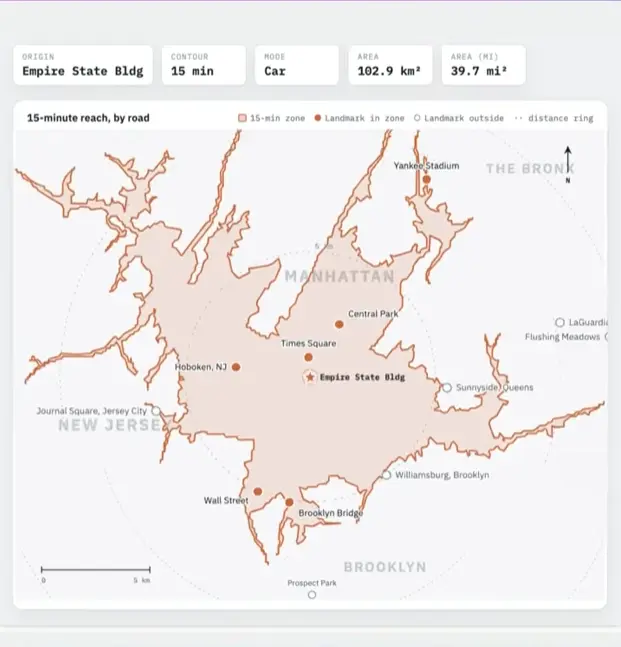
The @nbai/mcp server exposes seven core tools that cover key mapping and navigation tasks:
With this MCP server, an AI assistant can do more than answer general questions about geography. When a dispatcher asks, “Which technician is closest to this customer, and how long will the drive take?” the AI can:
By using a standardized MCP package, teams can deploy these location-aware workflows quickly without building and maintaining custom API connectors.
Explore NextBillion.ai’s mapping, routing, and optimization APIs to understand how location services can support your next AI-powered application.
The Model Context Protocol provides a standard way for AI applications to communicate with compatible external tools and live data sources. Instead of maintaining custom glue code for every service, developers can rely on a single, shared interface.
When paired with mapping APIs, AI assistants gain access to essential location capabilities, including geocoding, directions, distance calculations, and route optimization. Combining MCP with these services helps teams build reliable conversational workflows for navigation, logistics, and fleet operations.
MCP connects AI reasoning to outside capabilities, while specialized platforms—such as NextBillion.ai’s APIs—supply the accurate spatial data and calculations needed to turn user requests into action.
An AI agent reads a user’s prompt and reviews the available tools published by an MCP server. The agent selects the best tool, formats the required inputs, and sends the request. The server executes the task and returns the result for the agent to summarize.
An MCP client lives inside the AI host application to manage connections and send requests. An MCP server is a separate program that exposes specific tools and data resources, executes commands, and communicates with underlying databases or APIs.
A REST API provides specific data endpoints for software to call. MCP wraps those endpoints in a standard format so AI models can discover and use them automatically. MCP standardizes the connection layer rather than replacing the API itself.
Yes. An MCP server can expose mapping tools for geocoding, directions, and place searches. This allows an AI assistant to convert addresses into coordinates, calculate road travel times, and generate turn-by-turn navigation paths during a conversation.
Yes. An AI assistant can use MCP tools to send delivery stops and vehicle limits to an optimization engine. It can also query fleet tracking APIs to check live vehicle locations, monitor delays, and update arrival times.
MCP provides a safe communication framework, but security depends on configuration. Enterprises must store API keys on the server, restrict tool permissions, validate all inputs, and require human confirmation before triggering operational actions like vehicle dispatches.
Shivangi is a seasoned Technical Writer with a passion for simplifying technical concepts. With over 5 years of experience, she specializes in crafting clear and concise documentation for various technical products and platforms.