


Route Optimization API
Optimize routing, task allocation and dispatch
Distance Matrix API
Calculate accurate ETAs, distances and directions
Directions API
Compute routes between two locations
Navigation API & SDK
Turn by Turn Instructions for Drivers & Technicians
Route Optimization Software
Plan optimized routes with 50+ Constraints
Product Demos
See NextBillion.ai APIs & SDKs In action
Location Reasoning AI
Help your AI agents answer location-based questions
AI Route Optimization
Learns from Your Fleet’s Past Performance
Platform Overview
Learn about how Nextbillion.ai's platform is designed
On-Premise Deployments
Take Full Control of Your Maps and Routing
About Us
Our story, vision
and mission
Contact Us
Reach out to us for any product- or media-related queries
Write to us at

Table of Contents
A language model on its own can’t tell you whether a driver is stuck behind a road closure, which depot is closest to a customer, or what an order costs today. It knows what it absorbed during training, and that stops at some point in the past. Ask it about the real world right now and it either guesses or admits it can’t help.
AI agents are meant to close that gap, and the Model Context Protocol (MCP) is the standard most of them now use to do it. Instead of building a custom integration for every system, an agent finds and uses outside tools and data through one common interface.
Gartner expects 40% of enterprise applications to include task-specific AI agents by the end of 2026, up from less than 5% in 2025. Those agents all need a dependable way to reach real systems, which is why MCP AI agents keep coming up in architecture discussions.
This guide covers how MCP AI agents work under the latest spec, what happens during an actual request, which services they reach through it, and what to settle on security before going live. We’ll use NextBillion.ai MCP as a worked example, because location is one of the hardest kinds of real-world context for an AI to get right.
MCP is an open standard for connecting AI applications to external systems. Anthropic open-sourced it on November 25, 2024, pitching it as a single protocol to replace the fragmented, one-off connectors that sat between assistants and the places data lives. A year later, it moved to neutral ground.
In December 2025, Anthropic donated MCP to the Agentic AI Foundation, a directed fund under the Linux Foundation co-founded by Anthropic, Block, and OpenAI, with support from Google, Microsoft, AWS, Cloudflare, and Bloomberg. The project’s governance model stayed as it was.
The numbers Anthropic published at that point give a sense of scale: more than 10,000 active public MCP servers, adoption in ChatGPT, Cursor, Gemini, Microsoft Copilot, and Visual Studio Code, and over 97 million monthly SDK downloads across Python and TypeScript.
The common comparison is USB-C. One connector replaced a drawer full of proprietary cables, and MCP does something similar for AI. You build a connection to a system once, as an MCP server, and any MCP-aware application can use it. One boundary is worth knowing: the MCP documentation is clear that the protocol only covers how context gets exchanged. It doesn’t dictate how an application uses its model or manages that context.
Anthropic’s launch post described the problem plainly. Even strong models are cut off from the data they need, and every new data source used to require its own custom implementation. With N applications and M systems, that’s up to N × M integrations, each with its own authentication quirks and failure modes. A shared protocol turns that into N plus M: each application builds a client once, and each service builds a server once.
Two practical benefits follow for teams building MCP AI agents.
The Model Context Protocol is an open standard that lets AI applications connect to outside tools and data through one consistent interface. Knowing which part does what makes the rest of the protocol much easier to follow. According to the official architecture docs, MCP has three participants:
The protocol has two layers. The data layer is a JSON-RPC 2.0 exchange that defines discovery, the core primitives, and notifications. The transport layer handles the connection itself, and there are two options. Stdio launches a local server as a subprocess, which suits desktop tools.
Streamable HTTP serves remote servers over the network and supports standard authentication, with OAuth the recommended way to get tokens. The older HTTP+SSE transport is now formally deprecated.
One thing to flag if you’ve read older explainers: MCP is now stateless. Under the 2026-07-28 spec revision, the initialization handshake and protocol-level sessions are gone.
Every request carries its protocol version and client capabilities in a _meta field, so a server can process each one on its own. Servers must implement a server/discover request that advertises their versions, capabilities, and identity, and clients can call it first or skip straight to the request they actually want. The response is cacheable, so discovery doesn’t need to run every time.
The word “server” misleads people at first, because an MCP server doesn’t have to live anywhere special. The official docs draw the line by transport. A local server uses stdio, runs on the same machine as the host, and typically serves a single client.
A remote server uses Streamable HTTP, runs on a platform somewhere else, and typically serves many clients at once. The reference filesystem server is the usual local example, while Sentry’s hosted server is the remote one the docs use.
The difference matters for planning. Local servers are easy to try, keep data on the device, and need little more than a launch command and, often, an API key. Remote servers suit shared tools that a whole team or customer base will use, and they’re where OAuth, per-user consent, and audit logging earn their keep.
NextBillion.ai MCP sits on the local side: it launches through npx over stdio, so a developer can add location tools to a coding agent with a single configuration entry. When the same capability has to reach many users in production, the design shifts toward a remote deployment with proper authorization.

Servers offer three kinds of capability, and each has */list methods so a client can see what’s available.
Tools are executable functions, like running a database query, calling an API, or creating a record. Each has a name, a description, and a JSON Schema for its inputs, which is what lets the model decide when and how to call it. Resources are data sources that provide context, such as file contents, database records, or API responses. Prompts are reusable templates that structure an interaction, like system prompts or few-shot examples.
On the client side, the main primitive is elicitation, which lets a server ask the user for more information or confirmation mid-task. Sampling, Roots, and Logging still work but are deprecated as of the July 2026 revision, and new implementations are told not to adopt them. Longer jobs can use the optional Tasks extension, which hands back a durable handle so the client can poll for the result.
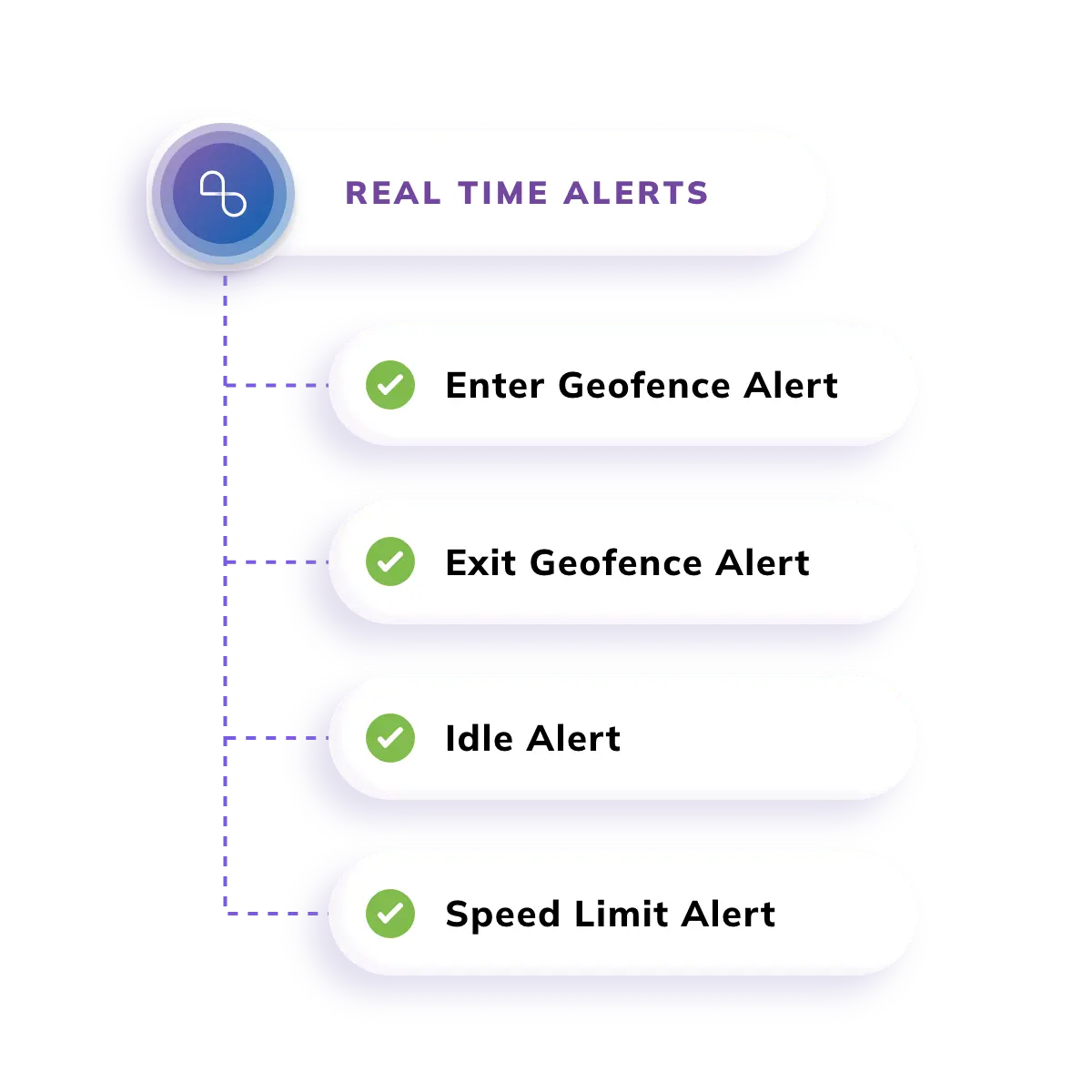
Real operations don’t stand still, and MCP has a few mechanisms for that. Tool lists can change while a connection is open, for example when new functionality becomes available, or a tool becomes temporarily unavailable. Clients that want to hear about those changes opt in by opening a long-lived subscriptions/listen stream and naming the notification types they want, and the server confirms which ones it will honor.
The docs add one caveat worth repeating: delivery is best effort, so clients should still poll now and then to keep results fresh. That is also why list results now carry a ttlMs freshness hint.
Longer jobs are handled by the optional Tasks extension. Instead of holding a connection open, the server returns a durable handle, and the client checks back for status and the final result. And when a server needs a human in the middle of a job, such as confirming an action or supplying a missing detail, it uses elicitation.
The latest spec delivers elicitation through a multi-round-trip pattern: the server replies that it needs input, and the client retries the original request with the answer attached. Together, those three pieces give an agent a workable way to keep going while conditions change underneath it.
Here’s one request from start to finish. A dispatcher asks an agent: which available technician can reach this customer fastest, and what’s the route? The agent is connected to a location server such as NextBillion.ai MCP.
Two details are worth noticing. The model never touches the mapping service directly. It produces structured requests, and the client and server do the work. And because each request carries its own metadata, the server doesn’t have to remember anything between calls.
Most MCP servers fall into a few families:
Finding the right server used to mean searching GitHub. The project now maintains an official MCP Registry for discovering published servers.
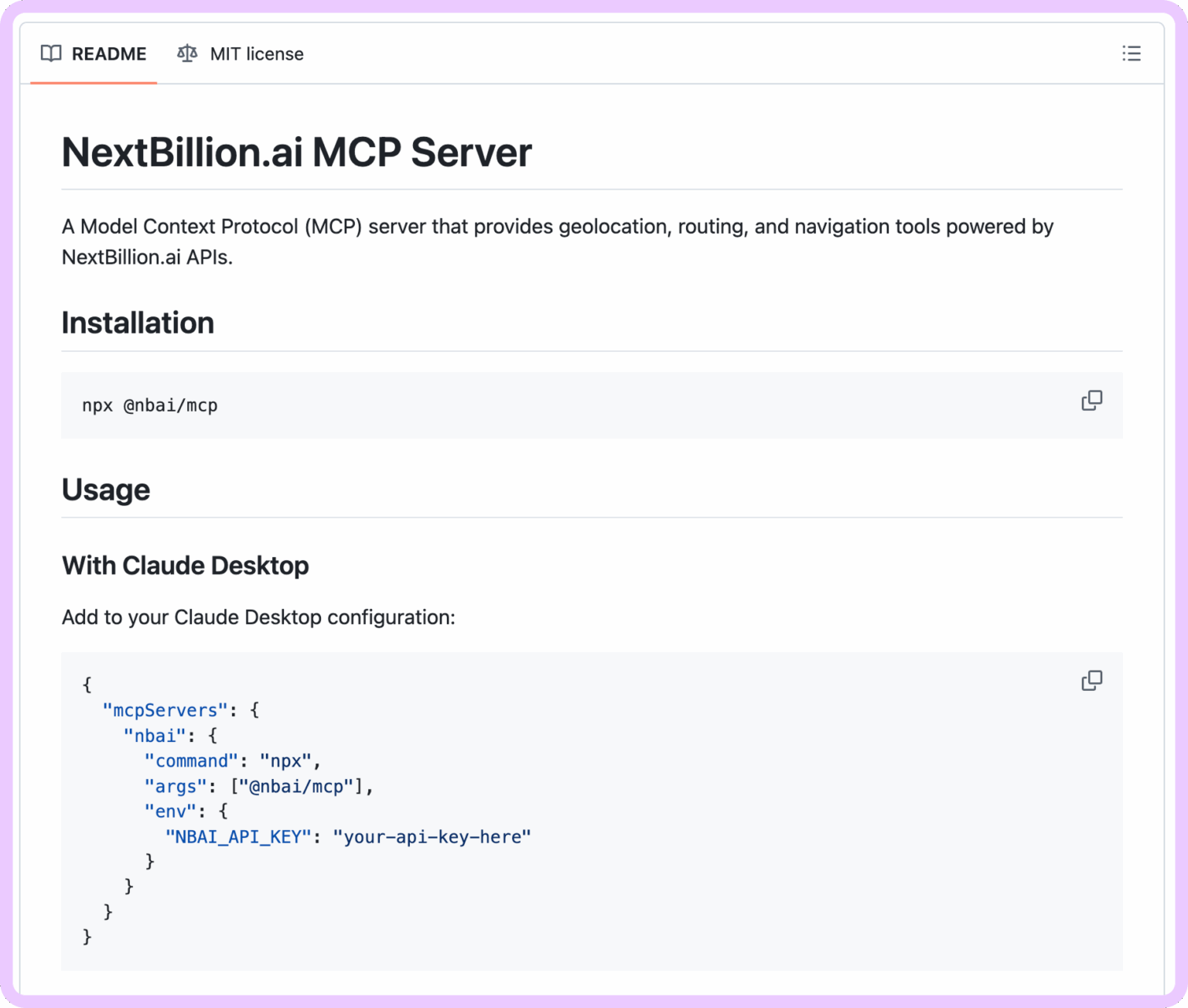
Location is a good test of why MCP matters. A language model can understand “find the nearest service point,” but it can’t compute drive time on a real road network. NextBillion.ai MCP fills that gap by exposing location capabilities as tools an agent can pick and combine:
Setup is lightweight. The server runs locally over stdio through npx, needs Node.js and an API key, and can be added to clients such as Claude Code, Cursor, and Codex CLI. In production, the API key should stay on the server side, never in browser code. Practical builds include AI route planners, fleet management copilots, field service assistants, and delivery planning agents.
For heavier jobs, agents lean on the routing stack behind those tools. NextBillion.ai’s Route Optimization API can handle up to 10,000 stops in one request across 50-plus constraints, and the Distance Matrix API scales to 5,000 x 5,000 points. In that model, the API is the engine, and the agent is the coordinator that decides when to call it.
Read more: Build Location-Reasoning AI Applications with NextBillion.ai MCP
NextBillion.ai’s location-reasoning guide shows how much a handful of location tools change what an agent can answer. A few of its examples:
The pattern is the same each time. The model works out what the person wants, the tools do the geography, and the application applies its own business rules on top. At no point does the model need to know anything about road networks.
MCP doesn’t replace function calling. Function calling is how a model expresses an intent to use a tool. MCP standardizes how that tool is described, discovered, hosted, and executed across applications.
In practice, an agent uses both: the model emits the call, and MCP supplies the definitions and carries it out. For a handful of functions inside one app, plain function calling is simpler. Once tools need to be reused across apps, owned by different teams, or swapped without rewrites, MCP starts earning its keep.
Connecting agents to real systems raises the stakes, so these are the risks that matter most.
Keep a person in the loop for irreversible actions. NextBillion.ai describes the same human-in-the-loop idea for dispatch, where approval stays in place for high-value, compliance-sensitive, or hazardous deliveries.
Read more: Route Optimization with AI Agents (Beyond Static APIs)
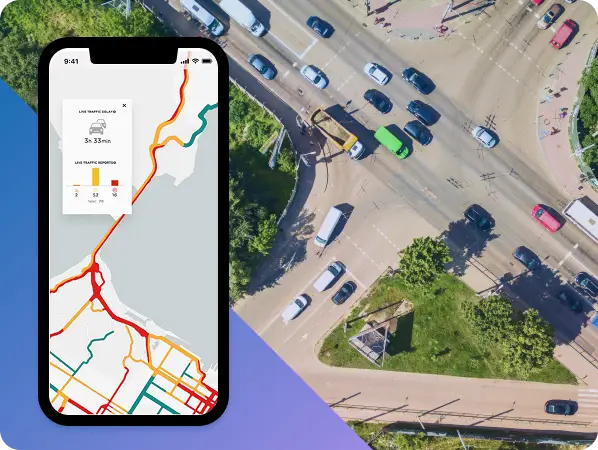
AI agents are only as useful as what they can reach. Without live data and the ability to act, they stay clever conversationalists. MCP is what makes that reach consistent, and it now has the backing of a neutral foundation and most major AI vendors. The standard is still moving, as the July 2026 changes to statelessness and deprecations show, so build against the current spec and expect revisions.
For teams working with location, routing, and dispatch, MCP AI agents are already practical: an agent can geocode, compare travel times, and plan routes through tools like NextBillion.ai MCP instead of guessing.
MCP AI agents are AI agents that use the Model Context Protocol to reach outside tools, data, and services. Instead of relying only on training data, they discover a server’s tools, call them with structured requests, and use the live results to complete a task. This is how an agent can check real travel times, query a database, or look up a record as it works.
Anthropic created MCP and open-sourced it in November 2024. In December 2025, it was donated to the Agentic AI Foundation, a directed fund under the Linux Foundation co-founded by Anthropic, Block, and OpenAI. The governance model stayed the same, so the project’s maintainers still run a community-driven, transparent process, but the standard no longer belongs to a single vendor.
No. Although Anthropic created it, MCP has been adopted by ChatGPT, Gemini, Microsoft Copilot, Cursor, and Visual Studio Code, among others. Because the protocol is open, a server built once works with any compatible client. NextBillion.ai MCP is a good example, since it can be added to coding agents such as Claude Code, Cursor, and Codex CLI using the same stdio setup.
Not strictly. Agents can reach external systems through custom code or plain function calling, and for a single tool inside one application that may be simpler. MCP earns its place as the number of systems grows. It standardizes how tools are described and discovered, lets you reuse the same server across several applications, and makes it easier to swap models or hosts without rebuilding every integration.
The protocol includes OAuth-based authorization, and the project publishes detailed security best practices. Real-world safety still depends on how you deploy it. Use least-privilege credentials, trust only vetted servers, and keep a human approval step for irreversible actions. Treat everything a tool returns as untrusted data, because prompt injection is a risk for any agent that reads outside content.
Get a free API key from NextBillion.ai, make sure Node.js is installed, and add the NextBillion.ai MCP server to a compatible client such as Claude Code, Cursor, or Codex CLI. Then ask a location question, for example, the fastest driving route between two addresses, and watch the agent chain geocoding, routing, and map tools. Keep the API key in an environment variable or secret manager, not in client-side code.
Bhavisha Bhatia is a Computer Science graduate with a passion for writing technical blogs that make complex technical concepts engaging and easy to understand. She is intrigued by the technological developments shaping the course of the world and the beautiful nature around us.