
Beverage Distribution Software Stack Explained

The Beverage Distribution Software Stack: How Routing, Inventory, and Order Management Fit Together

Published: July 24, 2026

A single beverage order can trigger dozens of decisions before it reaches a store shelf. The distributor must confirm stock, reserve the right batches, select a suitable vehicle, create an efficient route, prepare the load, guide the driver, record delivery results, and update financial records.

These steps cannot operate separately. Order management defines what the customer needs. Inventory software confirms what can be supplied. Routing software determines how and when the order should reach the customer. Warehouse, Direct Store Delivery, route accounting, and ERP systems then complete the process.

Poor coordination between these platforms can lead to stock shortages, overloaded vehicles, incorrect loads, missed delivery windows, billing errors, and delayed replenishment. A connected beverage distribution software stack keeps information moving across every stage of the order-to-delivery cycle.

Read this blog to understand how routing, inventory, and order management work together to improve beverage distribution operations.

TL;DR

A beverage distribution software stack connects orders, inventory, warehouse operations, routing, delivery, and accounting. It helps distributors maintain accurate stock, build practical routes, complete deliveries efficiently, and update financial records in real time.

  • Connects the complete order-to-delivery process

  • Improves inventory accuracy and visibility

  • Creates capacity-aware delivery routes

  • Supports drivers through mobile DSD tools

  • Strengthens financial and operational control

What Is a Beverage Distribution Software Stack?

Beverage Distribution

A beverage distribution software stack is an integrated suite of systems that enables the smooth handling of the entire process of moving products from order placement to final delivery and payment reconciliation.

Typically, it integrates order management, inventory management, warehouse software, route optimization, Direct Store Delivery applications, route accounting, fleet tracking, and ERP systems.

Every platform controls a particular aspect of the distribution. Customer demand is captured in order management, product availability is confirmed in inventory software, delivery planning is performed in routing software and vehicle loads are prepared in warehouse software. Driver applications then make the records of delivery, return, payment, and proof of delivery.

Systems communicate with each other on a continual basis, meaning that sales, warehouse, dispatch, drivers, customer service and finance teams all have access to the same information. This allows beverage distributors to minimize manual tasks, ensure accurate stock counts, plan realistic routes, and deliver more efficiently.

Benefits of the Right Beverage Distribution Software Stack

The perfect beverage distribution software stack integrates orders, inventory, warehouse functions, routing, delivery, and financials in a single harmonized workflow. It eliminates manual handoffs, increases data accuracy, and provides each team access to the information they need to make quicker decisions. Here are the top five benefits.

Improved Order Accuracy

Order management and inventory system integration check product availability, pricing, stock levels, credit, and delivery needs before fulfilling orders. Customer-specific rates, discounts, taxes, and product restrictions can also be checked automatically.

This helps to minimize wrong orders, product commitments that are not available, double entries, and invoice disputes. Warehouse and delivery staff are given more precise instructions as the final order is based on validated stock and customer needs.

Better Inventory Visibility

Real-time inventory data enables teams to monitor stock levels in warehouses, depots, vehicles, staging areas, and customer returns. Distributors can track all stock, reserved items, batches, expiry dates, damaged items, and reusable containers from one system.

This transparency enables purchasing and warehouse departments to be better prepared for shortages earlier. It also helps to minimize stock-out, excess stock, expiration of products, and situations where products are in stock but not in system records.

More Efficient Delivery Routes

Order volume, customer locations, vehicle capacity, delivery windows, service times, traffic conditions, and driver schedules are all taken into account by routing software to produce practical routes. It can also take into account product weight, pallet needs, road limitations, and depot hours.

Improved route planning decreases unnecessary mileage, reduces fuel expenses, and optimizes vehicle utilization. Drivers can complete more deliveries within their shifts without exceeding capacity or missing customer receiving windows.

Faster and More Reliable Deliveries

Integrated systems ensure warehouse teams, dispatchers, customer service teams, and drivers are all on the same page. Route-specific picking, load plans, mobile delivery instructions, and real-time updates minimize confusion in the day-to-day business.

When a vehicle has an emergency order or a problem, dispatchers can recognize the delays, update the arrival time, and change routes. This can minimize loading errors, failed deliveries, missed delivery time windows, and long customer waiting times.

Stronger Financial and Operational Control

Route accounting and ERP integration tie deliveries to invoices, payments, returns and credits, taxes, and customer balances. Financial and product movements can be reconciled at the end of each route.

Managers get a better understanding of route expenses, stock discrepancies, revenue, cash receipts, driver performance and customer service. Accurate records also support better forecasting, budgeting, auditing, and long-term distribution planning.

Features of the Right Beverage Distribution Software Stack

The right beverage distribution software stack should connect order capture, inventory control, warehouse operations, delivery planning, route execution, and financial reporting. Its technical architecture should support real-time data exchange, mobile access, system integrations, security, and beverage-specific operational rules.

Centralized Order Management

The platform should be able to accept orders from sales reps, retailer portals, mobile apps, EDI connections, and customer service. All orders must go through a central order system that checks for SKU’s, quantities, pricing, taxes, delivery dates, credit limits, and customer-specific terms before it is fulfilled.

It should also be able to handle recurring orders, promotional pricing, standing orders, order amendments, and approval workflows. These features help eliminate duplicate records and ensure that sales, warehouse, and dispatch staff have access to the same order information.

Real-Time Inventory Synchronization

Inventory should be synced to all warehouses, depots, vehicles, staging areas, and returned stock. The platform should also categorize the stock as available, reserved, damaged, quarantined, in transit, and awaiting inspection.

Real-time sync means that sales staff cannot guarantee products that are not available. It also enables warehouse staff to verify if they have adequate inventory before they assign orders to delivery routes.

Batch, Lot, and Expiry Tracking

The software should be able to monitor products by batch number, lot number, production date, and expiry date. These records are used to help with quality checks, product recalls, stock rotation, and customer shelf-life requirements.

FIFO and FEFO rules can automatically guide warehouse teams to the right batches when picking. Expiry alerts also assist distributors in shifting slow-selling inventory before it becomes unfit for delivery.
Advanced Route Optimization
route optimization

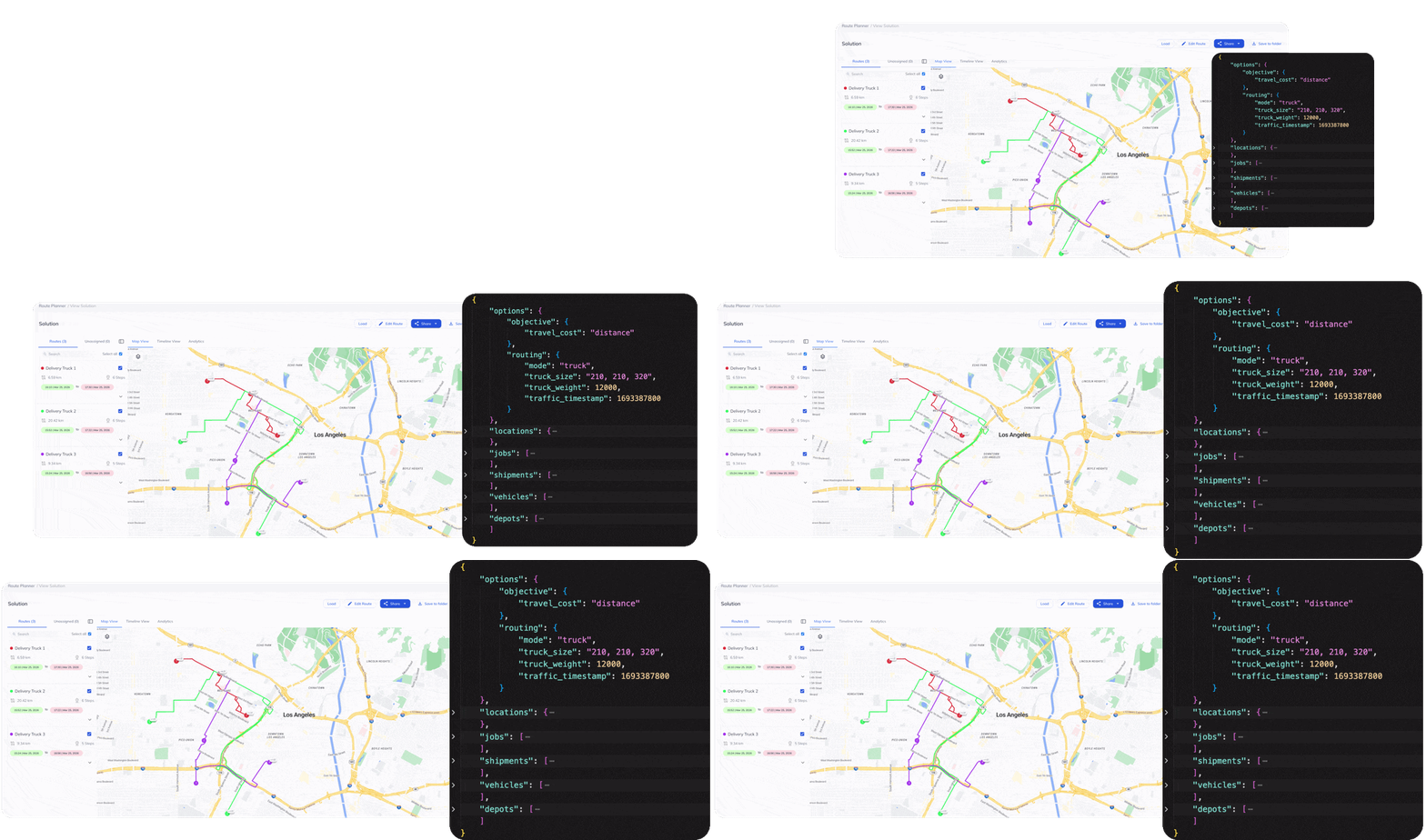
The routing engine must generate delivery schedules based on customer locations, delivery windows, stop service times, traffic conditions, driver shifts, and vehicle restrictions. It should also consider depot operating hours, priority orders, restricted roads, and recurring customer schedules.

Multi-depot planning helps the platform assign each order to the most suitable fulfillment location. Before dispatchers approve the final route, cost calculations can compare mileage, driver hours, tolls, and vehicle usage.

Vehicle Capacity and Load Planning

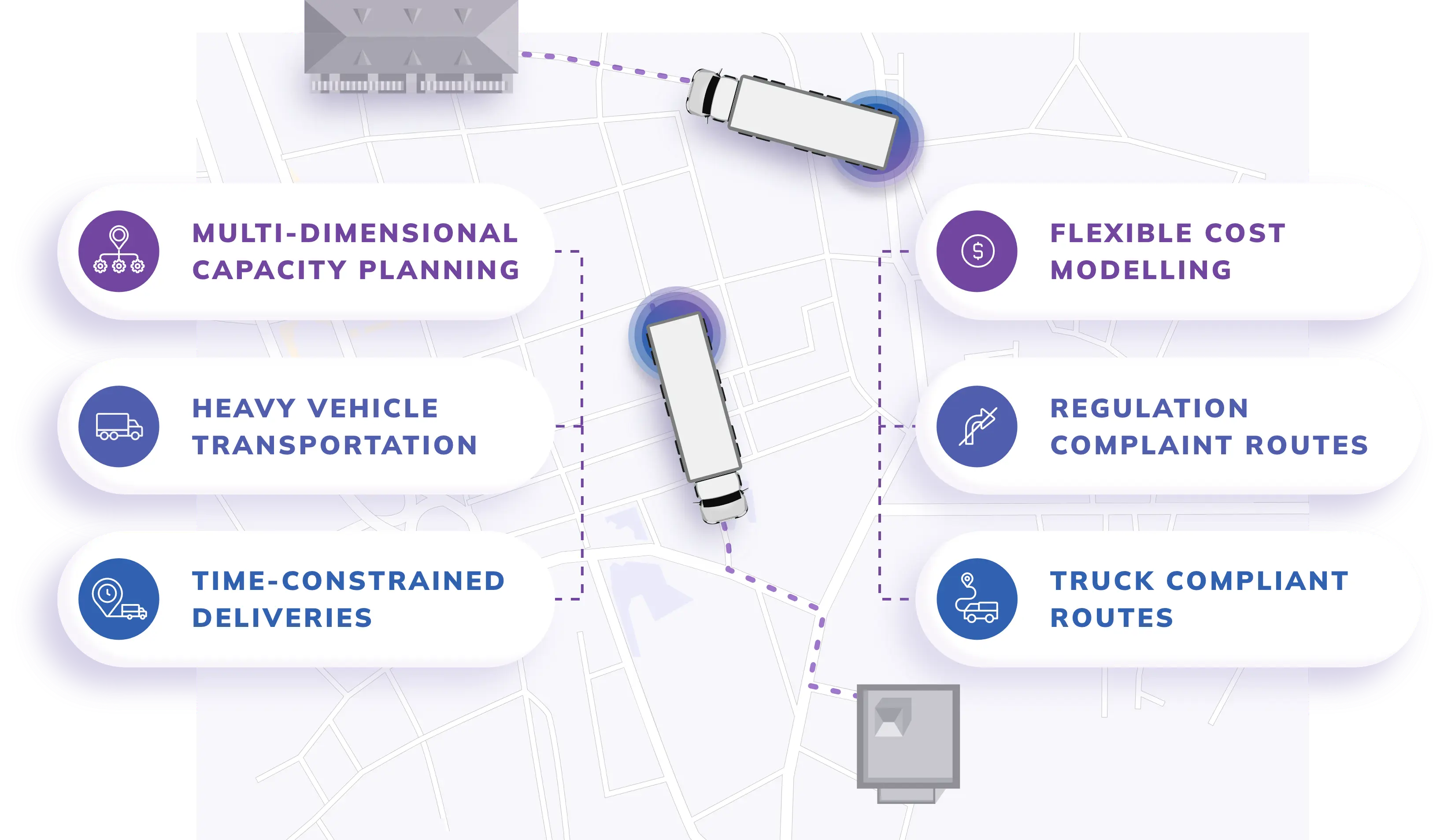
The platform should determine if assigned orders are within the weight, volume, pallet, case, and axle limits of the vehicle. By distance, a route might look good, but if the vehicle that is assigned cannot handle the entire load, then it is not a good route.

Load planning should be done to sequence cases and pallets by product weight, package type, and unloading requirements. Products for early stops should not be inaccessible to drivers unless they are moving some other stock.

Real-Time Route Re-Optimization


Routes should be re-created if there are any delays, urgent orders, vehicle breakdowns, customer closures or failed deliveries that impact the original plan. The system should check the inventory, delivery time, vehicle capacity, driver hours, and location before giving the new work.

New stop sequences and arrival estimates should be directly provided to the driver application. This means that the information will be accurate for dispatchers and customers, without having to call back for details.

Warehouse Management Integration

The software stack should connect route planning with warehouse picking, staging, palletizing, and vehicle loading. Route-specific pick lists should include product codes, quantities, batch details, storage locations, and assigned vehicles.

Barcode scanning helps confirm that the correct products are loaded onto the correct route. Before the vehicle leaves the depot, the physical load should be compared with the route manifest to identify missing or incorrect items.

Mobile Direct Store Delivery Application


A mobile DSD application should be used to provide drivers with routes, instructions to customers, order information, navigation, and vehicle inventory. The application should also be able to handle the status of the delivery, changing orders, returns, payments, and notes for customers.

The easy-to-use mobile interface saves time at every stop. Drivers can complete the full delivery process without carrying separate manifests, invoices, and return forms.

Offline Mobile Functionality


Mobile applications should continue to function where there is limited or no internet access. Drivers should still be able to see the route details, view products, take returns, sign products, and get delivery information.

The app should be able to store the transactions offline and sync them when the connection is restored. Rules should be provided to handle conflicts in a way that avoids duplicate or incomplete updates in synchronization.

Audit Trails

The platform should record who created, edited, approved, canceled, or completed each transaction. Audit logs should include the time of the action, the previous value, the updated value, and the user responsible for the change.

These records support dispute resolution, financial audits, compliance reviews, and internal investigations. Managers can track changes to inventory, orders, routes, and payments without relying on paper records.
How Routing, Inventory, and Order Management Work Together

Now let’s delve into the interaction of routing, inventory and order management throughout the beverage distribution process:

Step 1: The Customer Places an Order

The process begins when a customer, such as a retailer, restaurant, hotel, or another business, places an order. The request may arrive through a sales representative, retailer portal, EDI connection, mobile application, customer service team, or recurring order schedule.

The order management system records the customer, delivery address, SKUs, quantities, requested delivery date, pricing, and delivery instructions.

It also validates contract pricing, promotions, discounts, taxes, credit limits, payment terms, and customer-specific product restrictions. Delivery windows, unloading requirements, access instructions, and order priority are added before the order moves forward.

After validation, the order becomes available for inventory allocation and delivery planning.

Step 2: Inventory Availability Is Checked

The inventory management system verifies whether the requested products are available at the assigned warehouse, depot, or distribution center.

It checks available stock rather than total stock. Damaged products, expired batches, quarantined items, and inventory already reserved for other orders are excluded.

The system can also verify batch numbers, expiry dates, warehouse locations, package sizes, reusable containers, and customer shelf-life requirements.

Available products are reserved against the order. This prevents the same inventory from being promised to another customer.

Any shortage triggers an exception. The distributor may reduce the quantity, transfer stock from another warehouse, approve an alternative product, split the delivery, or delay part of the order.

Step 3: Orders Are Grouped for Delivery

Orders which have been confirmed are arranged by delivery date, depot, service area, customer location and vehicle needs.

Every order is given delivery conditions like:

  • Customer receiving hours

  • Order priority

  • Service time

  • Vehicle type

  • Temperature requirements

  • Road access restrictions

  • Driver qualifications

The large supermarket orders might need the use of pallet trucks, while the smaller orders to the store might be appropriate for compact vehicles.

The service time is also estimated for each stop. Sometimes it can take just a few minutes to deliver a simple case. A delivery that includes pallets, returns, collecting payments, or replenishing the shelves could take longer. The completed order pool provides the necessary information to the routing software to create practical routes.

Step 4: Routes Are Optimized

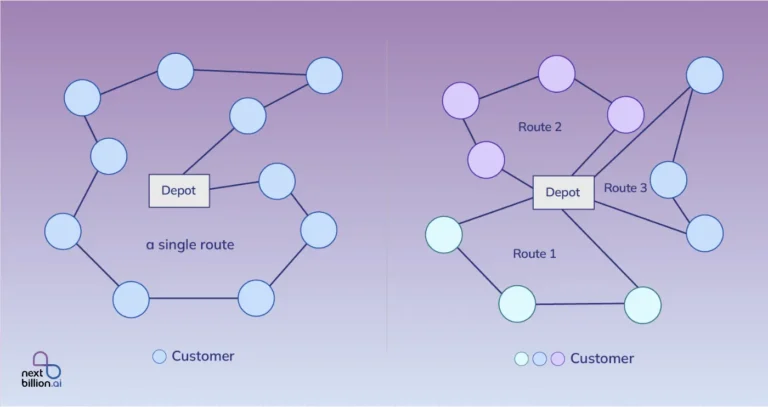
Order Confirmation is the process of converting orders to delivery routes using routing software. It decides which car/driver should be used for each customer and the order in which they should be used.

The platform considers:

  • Customer locations

  • Delivery time windows

  • Vehicle weight and volume limits

  • Pallet capacity

  • Driver shifts

  • Stop service times

  • Traffic conditions

  • Road restrictions

  • Depot operating hours

  • Customer priority

The software also determines if each vehicle is able to hold the case volume, product weight and number of pallets.

After its approval, the route plan is communicated to the drivers and the warehouse teams. If there is a change to the order later, then the capacity will need to be validated or the route recalculated.

Step 5: Warehouse Loads Are Created

The warehouse management system receives the approved route plan and creates route-specific picking and loading instructions.

Pick lists identify the required SKUs, quantities, batches, storage locations, and customer orders. Barcode scanning helps workers verify that the correct products and quantities are chosen.

Products are then pre-positioned by route, with delivery order. While orders are typically placed in the early stops first, the products at the later stops are still more readily available.

Additionally, the load plan can take into account:

  • Product weight

  • Pallet position

  • Case stability

  • Temperature zones

  • Fragile packaging

  • Vehicle axle limits

  • Space for returns and empty containers

Final load verification compares the physical stock with the route manifest. Confirmed quantities become the vehicle’s opening inventory.

Step 6: Drivers Execute the Route

Drivers receive the route through a mobile Direct Store Delivery application.

The application provides:

  • Stop sequence

  • Navigation

  • Customer orders

  • Delivery instructions

  • Planned arrival times

  • Vehicle inventory

  • Payment information

  • Returnable container balances

Dispatchers track vehicle location, vehicle progress to stops, and delays to stops. The original plan can be impacted by traffic congestion, customer closures, long unloading times or vehicle issues.

Routing software may recalculate arrival times or adjust the stop sequence. Urgent deliveries can also be assigned after checking vehicle location, remaining capacity, available stock, driver hours, and delivery windows.

Drivers update each stop as arrived, completed, delayed, refused, partially delivered, or unsuccessful.

Step 7: Delivery Data Is Recorded

The driver records what actually happened at each customer location.

The application captures delivered quantities and any differences from the original order. These differences may result from damaged products, rejected items, missing stock, substitutions, or customer-requested changes.

Delivery records may include:

  • Delivered products

  • Short deliveries

  • Rejected items

  • Damaged stock

  • Customer returns

  • Empty crates, bottles, or kegs

  • Digital signatures

  • Delivery photographs

  • Arrival and departure times

  • Payment details

  • Refusal reasons

Electronic proof of delivery confirms that the customer received the order. It may include a signature, timestamp, GPS data, recipient name, barcode scan, or photograph.

Delivered products are deducted from the vehicle’s inventory. Returns and reusable containers are added to the vehicle record.

These updates give dispatchers, customer service teams, and inventory managers a real-time view of route activity.

Example: How the Software Stack Handles a Beverage Order

A supermarket orders 60 cases of juice, 100 cases of bottled water, and 40 cases of soft drinks for delivery on Friday morning.

The order management system verifies the customer’s pricing, credit terms, delivery window, and product requirements. The inventory system then checks stock availability and reserves the confirmed quantities.

Only 50 cases of juice are available at the assigned depot. The system flags the shortage and recommends transferring the remaining cases from a nearby warehouse or approving a suitable alternative.

After confirmation, the order is assigned to a vehicle with sufficient pallet, weight, and volume capacity. The supermarket receives an early delivery slot because it only accepts deliveries between 7:00 a.m. and 9:00 a.m.

The warehouse system generates the pick list and loading sequence. Products for later stops are loaded first so the supermarket’s order remains easily accessible.

The driver receives the route, customer instructions, order details, and vehicle inventory through the DSD application. After delivery, the driver records the accepted quantities, collects empty crates, and captures a digital signature.

Route accounting then reconciles the delivered products, returns, and remaining vehicle stock. The ERP system generates the invoice, adjusts inventory, records revenue, and updates the customer’s balance.

This connected process allows the distributor to complete the order accurately without relying on separate spreadsheets, phone calls, or manual updates.

How NextBillion.ai Strengthens the Beverage Distribution Software Stack

food and beverage

At NextBillion.ai, we strengthen the routing layer of the beverage distribution software stack. Our routing APIs connect with order management, inventory, warehouse, transportation management, and fleet systems. We use operational data from these platforms to create practical delivery plans based on actual fleet conditions.

Connects Routing With Existing Distribution Systems

Our Route Optimization API can be connected with the existing TMS, ERP, logistics systems and any custom-made distribution systems. Information such as order details, customer locations, delivery windows, vehicle data and warehouse information can be passed to our routing engine via APIs. Then we send the optimized routes back to dispatch systems and driver application systems for dispatching.

With our integration, beverage distributors can use our enhanced routing without having to change their overall software infrastructure. Our system fulfills both tasks: we determine the appropriate vehicle assignment and stop sequence, while the order management and inventory system are still in charge of customer demand and product availability.
Plans Routes Around Real Distribution Constraints
route optimization

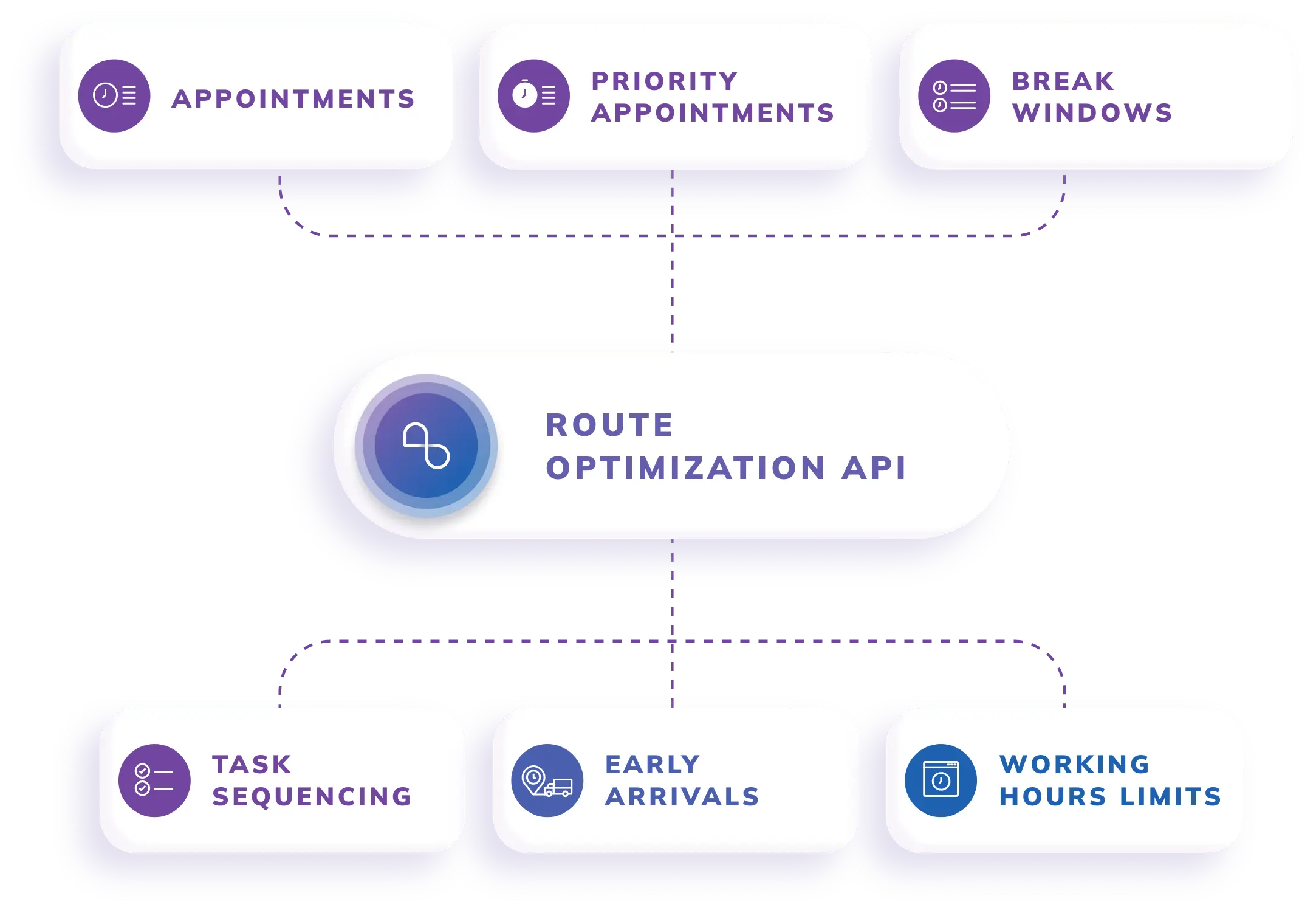
Our platform supports more than 50 routing constraints, including vehicle capacity, delivery time windows, driver availability, task sequencing, and truck-specific road restrictions. Our multi-dimensional capacity settings can be used to identify weight and/or case volume, assign orders to vehicles, or even assign orders to different product categories.

These capabilities accommodate different types of beverages that may be delivered in varying weights, packaged in various types, have varying unloading needs, and have varying product priorities. In addition, our routing engine can take into account a route’s traffic conditions, the location of depots, the time of service, and the availability of a vehicle to prepare a dispatch-ready route.

Supports Route Changes and Large Delivery Volumes

We help beverage distributors respond when delivery plans change because of urgent orders, customer cancellations, traffic delays, or unavailable vehicles. After incorporating new tasks or changes in the schedule and/or vehicles, our platform can re-optimize the existing route plan.

We can handle up to 10,000 orders in a single optimization problem with our route optimization API. This scalability helps distributors to support a large fleet, multiple service areas, a high store density and peaks in delivery volumes during the seasons.
Conclusion

A beverage distribution software stack works best when order, inventory, warehouse, routing, delivery, and financial systems exchange accurate data. Order management records the customer’s order, inventory software checks for availability, and warehouse software prepares the load. Confirmed orders are then converted into realistic delivery plans in the routing software.

NextBillion.ai brings constraint-aware route optimization to this connected workflow. Beverage distributors can use our platform to assign orders to suitable vehicles, meet customer delivery windows, respond to daily disruptions, and improve fleet utilization without replacing their existing operational systems.

Connect NextBillion.ai’s Route Optimization API with your beverage distribution stack to build capacity-aware routes, respond to delivery changes, and manage complex fleet operations more efficiently.

FAQs

Beverage distribution software is a linked system that is developed to take care of the orders of customers, inventory, warehouse procedures, delivery routes, drivers, returns, payments, and financial records. It assists distributors to manage the end-to-end order-to-delivery workflow.

A beverage distribution software stack commonly includes order management, inventory management, warehouse management, route optimization, Direct Store Delivery, route accounting, fleet tracking, and ERP software. These systems exchange data to support daily distribution operations.

Inventory management helps distributors track available stock, reserved products, batches, expiry dates, damaged goods, returns, and vehicle inventory. Accurate inventory data reduces stockouts, overselling, expired products, and incomplete deliveries.

Direct Store Delivery software helps drivers manage store-level deliveries through a mobile application. It supports navigation, order verification, product returns, payment collection, shelf replenishment, and electronic proof of delivery.

Modern beverage distribution platforms can integrate with ERP, accounting, warehouse, CRM, telematics, and payment systems through APIs, EDI, webhooks, or prebuilt connectors. Integration reduces duplicate data entry and keeps operational and financial records consistent.

About Author

Bhavisha Bhatia

Bhavisha Bhatia is a Computer Science graduate with a passion for writing technical blogs that make complex technical concepts engaging and easy to understand. She is intrigued by the technological developments shaping the course of the world and the beautiful nature around us.

Ready to get started?

Table of Contents